Your stream fails at 9:30 p.m., not during setup. The playlist worked yesterday. The torrent finished, but the media server cannot see the file. The TV app buffers while every speed test says the internet is fine.
That is why computer systems technology matters for streaming, torrents, IPTV, and home media in 2026. Not as a school subject. As the stack of decisions between content, network, storage, playback, privacy, and support.
Teams think the problem is finding the right app. The real problem is building a predictable media workflow.
The mistake teams make is treating the UI as the system. A streaming box, torrent client, IPTV app, VPN, NAS, router, and media server are not separate gadgets once they depend on each other. They become one operating environment. If you do not design the environment, you debug it forever.
Table of contents
- Why computer systems technology matters for home media
- Build the reference architecture before buying more apps
- Network design decides whether streaming feels broken
- Storage and library design are operational decisions
- Torrent workflows need policy, not just speed
- IPTV workflows fail when state is unmanaged
- Automation should reduce support, not create mystery
- Security and privacy are architecture choices
- What breaks when computer systems technology is implemented badly
- Make computer systems technology an operating model
Why computer systems technology matters for home media
Computer systems technology sounds broad because it is. For cord cutters and media hobbyists, the useful meaning is narrower: the design of computing, networking, storage, software, and operational workflows that make media available when someone presses play.
That changes the conversation. You stop asking which app is best and start asking which system is easiest to operate safely.
The stack is the product
A home media stack usually has five layers:
| Layer | Typical components | What fails in practice |
|---|---|---|
| Access | streaming services, legal IPTV playlists, public domain torrents, personal media | rights confusion, broken sources, stale playlists |
| Network | ISP modem, router, Wi-Fi, Ethernet, DNS, VPN | jitter, bad routing, double NAT, weak signal |
| Compute | streaming box, mini PC, NAS, Docker host | CPU spikes, transcoding failures, bad updates |
| Storage | SSD cache, HDD array, cloud backup, library folders | full disks, duplicate files, missing metadata |
| Playback | TV apps, mobile apps, browser players, media server clients | codec mismatch, subtitle issues, authentication drift |
The practical question is not whether each layer works alone. It is whether the layers behave together under load.
Practical rule: If two tools share state, such as a download path, library folder, playlist, or authentication token, treat them as one system.
A useful way to think about it is ownership. Who owns the playlist? Who owns file naming? Who owns subtitle matching? Who owns VPN routing? In small setups, the answer may be one person. In family or shared-house setups, unclear ownership turns into recurring support.
Legal access and safe defaults come first
Torrent, IPTV, and streaming tools are neutral technologies. The legal and safety posture depends on source, license, jurisdiction, and use. Build your system around content you have rights to access: public domain media, Linux distributions, creator-approved releases, personal backups where allowed, legitimate streaming services, and licensed IPTV sources.
The mistake teams make is designing for maximum reach first and safety later. That reverses the order. If a source is unclear, unstable, or intentionally evasive, it is not just a legal risk. It is an operational risk. It breaks, disappears, pollutes metadata, and wastes troubleshooting time.
Related reading from our network: cloud computing services for decentralized builders covers a similar architecture point for compute-heavy workflows: the service is only useful when resource ownership, routing, and operational boundaries are clear.
Build the reference architecture before buying more apps
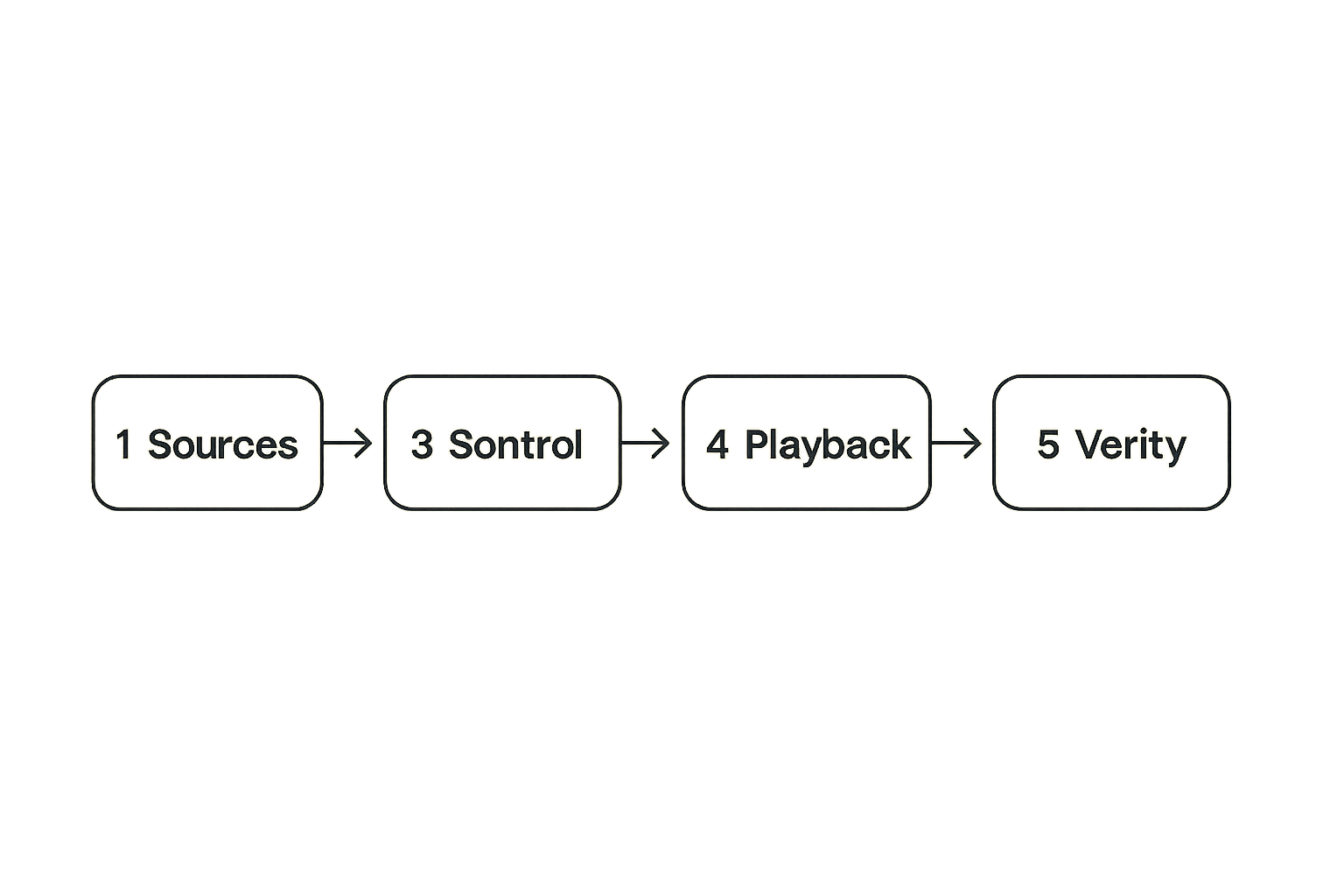
Most media setups grow by accident. Someone adds a torrent client. Then a VPN. Then a media server. Then IPTV. Then a second streaming box. Six months later, nobody remembers which device controls what.
A reference architecture does not need to be enterprise-grade. It needs to be written down.
Client layer: where people actually watch
The client layer includes TVs, streaming sticks, tablets, phones, browsers, game consoles, and set-top boxes. These devices should be treated as consumers, not administrators.
Good client rules:
- Prefer Ethernet for fixed TVs when possible.
- Keep playback apps updated, but avoid unnecessary beta builds.
- Do not store admin credentials on shared devices.
- Standardize on a small number of playback apps.
- Test the weakest device, not only the newest one.
What breaks in practice is codec support. A file that plays on a desktop may force transcoding on a TV stick. A live stream that works in one IPTV app may fail in another because of buffering strategy or EPG handling.
Control layer: where state is managed
The control layer is where the system makes decisions. This may be a NAS, mini PC, Docker host, router, or media server box.
It usually handles:
- torrent client rules and legal source management
- library scanning
- IPTV playlist refreshes
- EPG processing
- VPN routing
- DNS filtering
- monitoring
- scheduled cleanup
Do not spread control across five devices unless you enjoy guessing. A small, stable host is often better than a high-powered machine that gets rebooted for gaming, experiments, or driver updates.
Data layer: where media and metadata live
The data layer is files, folders, databases, indexes, playlist snapshots, thumbnails, subtitles, and watch history. It is more fragile than people expect.
A clean data layout might look like this:
/media
  /incoming
  /library
    /movies
    /tv
    /music
    /books
  /iptv
    playlist-current.m3u
    epg-current.xml
  /metadata
  /backups
The point is not the exact folder names. The point is that temporary, reviewed, and published media should not all live in the same directory.
Network design decides whether streaming feels broken
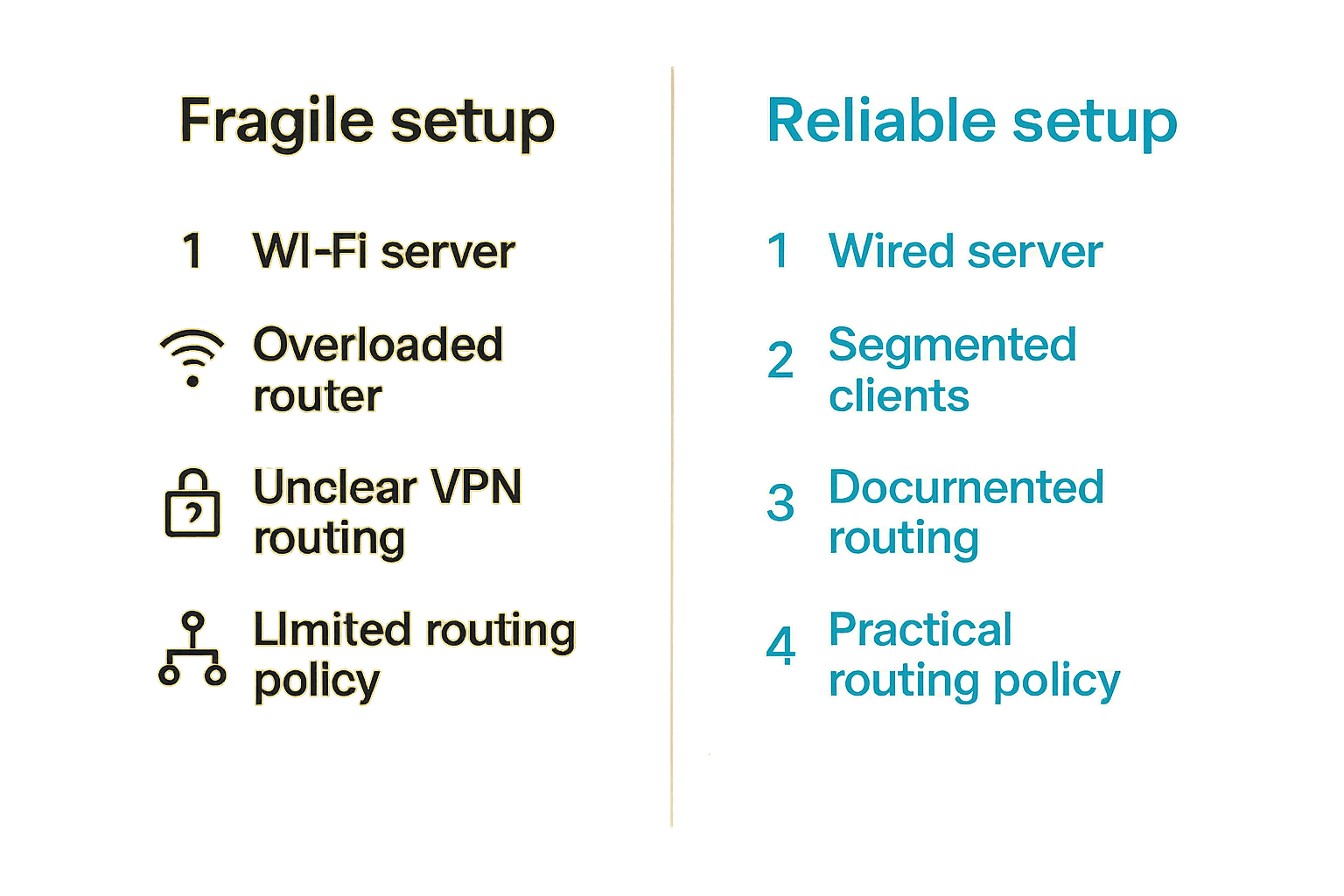
Many teams think the problem is ISP speed. The real problem is consistency from source to screen.
A 1 Gbps connection does not fix weak Wi-Fi, overloaded routers, bad peering, poor DNS, overloaded VPN endpoints, or a client device with limited decode support. The speed test is a narrow measurement. Playback is a workflow.
Bandwidth is not the same as consistency
Streaming needs sustained throughput and low enough jitter. Torrents need many connections, disk writes, and fair limits. IPTV needs timely segment delivery. These workloads compete.
A practical home policy:
- Cap torrent download and upload below your actual line rate.
- Reserve headroom for live streaming and video calls.
- Prefer wired backhaul for mesh nodes.
- Avoid running heavy downloads during known viewing hours.
- Watch router CPU when VPN is enabled.
Practical rule: Never tune a media network from a single speed test. Test playback, local transfer, DNS resolution, VPN routing, and device signal quality separately.
LAN quality beats raw ISP speed
The local network is where many streaming problems hide. A media server on Wi-Fi serving a TV on Wi-Fi through a congested mesh is a reliability tax. If the server stores media on a USB drive connected to a router, the tax gets worse.
What works:
- Media server on wired Ethernet.
- NAS or storage host on wired Ethernet.
- Fixed TV on Ethernet or strong 5/6 GHz Wi-Fi.
- Separate guest network for untrusted devices.
- Router with enough CPU for NAT, firewall, and VPN policies.
What fails:
- Every device on one flat Wi-Fi network.
- Mesh nodes with weak wireless backhaul.
- Router USB storage pretending to be a NAS.
- No visibility into which device is saturating upload.
DNS, VPN, and routing need ownership
DNS and VPN decisions affect the whole stack. A VPN can protect privacy for some traffic, but it can also break casting, local discovery, geolocation, and streaming service terms. DNS filtering can reduce tracking and malware exposure, but aggressive blocklists can break EPG updates or app authentication.
Document which traffic goes where:
| Traffic type | Suggested routing | Notes |
|---|---|---|
| Legal streaming services | direct ISP route | respect provider terms and location rules |
| Public domain torrent client | VPN route if appropriate | confirm kill switch and leak protection |
| Local media playback | local LAN only | should not hairpin through VPN |
| IPTV playlist updates | depends on provider | avoid routing changes without testing |
| Admin dashboards | local or secure remote access | never expose casually to the internet |
Related reading from our network: cloud computing answer engine optimization is about AI crawler visibility, but the operational lesson is adjacent: routing, performance, and validation have to be measured as a system, not guessed from one metric.
Storage and library design are operational decisions
Storage is not just capacity. It is performance, lifecycle, naming, metadata, and recovery. A 16 TB drive with chaotic folders can create more support pain than a smaller, well-managed library.
Separate hot, cold, and temporary storage
Use different areas for different states:
- Temporary: active downloads, partial files, unpacking, conversion.
- Hot: frequently watched media and active library items.
- Cold: archived media, backups, rarely accessed files.
This prevents half-finished files from being indexed as watchable. It also makes cleanup safer. If the media server only scans the published library path, you avoid showing broken files to users.
SSD cache helps with temporary writes and metadata. HDD storage works for large libraries. The mistake teams make is putting everything on one nearly full disk and then blaming the app when scans slow down.
Metadata is part of the system
Metadata includes titles, seasons, posters, subtitles, chapters, EPG data, channel logos, and watch state. If metadata is bad, the library feels broken even when files are fine.
Useful rules:
- Use consistent naming before scanning.
- Keep one authoritative metadata source where possible.
- Store local artwork only when you intend to maintain it.
- Review edge cases like specials, sports, and multi-part files.
- Snapshot playlist and EPG inputs before replacing them.
A media system is not successful because it stores files. It is successful because people can find and play the right item without asking you.
Backups should match replacement pain
Not every byte deserves the same backup plan. Personal photos, home videos, rare legal media, configuration files, and watch history may be harder to replace than large public files.
Rank data by replacement pain:
| Data | Backup priority | Reason |
|---|---|---|
| Personal media | high | unique and emotionally valuable |
| Config files | high | small, painful to recreate |
| Metadata database | medium | rebuildable but time-consuming |
| Publicly available files | variable | depends on source stability and legality |
| Temporary downloads | low | should be disposable |
Backups also need restore tests. A backup that has never been restored is only a hope with a timestamp.
Torrent workflows need policy, not just speed
Torrent systems are efficient because they distribute load across peers. That also means your client behavior matters. A torrent workflow without policy can consume bandwidth, expose more than intended, or mix unreviewed files into a clean library.
Legality, licensing, and source trust
Start with the source. Public domain archives, open-source software distributions, creator-approved releases, and private files shared with permission are different from unknown uploads with unclear rights.
Build a simple intake policy:
- Confirm the content is legal for you to download and use.
- Verify the source is reputable.
- Keep active downloads outside the public library.
- Scan or inspect files before publishing.
- Move only approved files into the media library.
This is not bureaucracy. It is how you avoid turning your media server into a junk drawer.
DHT, magnet links, and discovery boundaries
DHT and magnet links are part of how torrent discovery works. They are useful, but they should not be treated as a quality guarantee. Discovery is not validation.
If you explore decentralized torrent discovery, keep the boundary clear between browsing and publishing. For example, the DHT torrent browser can be useful for understanding what decentralized discovery looks like, but your local workflow still needs legal source review, file inspection, and library staging.
What breaks in practice is automatic trust. A magnet link resolves. A file downloads. The media server scans it. Now a questionable or malformed file appears on the TV. That is a workflow failure, not a torrent failure.
Seeding, ratio, and resource limits
Seeding is part of the protocol, but it must be balanced with household bandwidth and legal context. Configure limits intentionally.
Recommended controls:
- Set upload caps below the point where latency spikes.
- Use scheduling for busy household hours.
- Limit maximum active torrents.
- Keep incomplete files away from library scans.
- Use a kill switch if routing torrent traffic through a VPN.
- Monitor disk space on the temporary volume.
Practical rule: A torrent client should never be allowed to decide the performance of the entire home network by accident.
IPTV workflows fail when state is unmanaged
IPTV looks simple from the couch: open app, choose channel, play. Underneath, it is playlists, EPG data, stream URLs, provider uptime, buffering policy, device support, and sometimes authentication.
Playlist quality matters more than app choice
A good IPTV app cannot fix a stale or badly structured playlist. Channel names, groups, logos, stream formats, and dead entries all affect usability.
For legitimate playlists and live channel workflows, a dedicated interface like live TV playlist streaming is useful when you want the viewing layer to stay focused on playback instead of turning every user into a playlist mechanic.
Playlist management should include:
- source URL and provider notes
- refresh schedule
- last successful fetch time
- channel count changes
- dead stream detection
- backup of the previous working playlist
EPG mapping is a data problem
Electronic program guides fail quietly. The stream works, but the guide is empty. Or the wrong show appears. Or channels are duplicated because names do not match.
Treat EPG mapping as data normalization:
- Standardize channel IDs where possible.
- Keep a mapping file for renamed channels.
- Validate XML size and freshness.
- Alert when the EPG shrinks unexpectedly.
- Keep the previous known-good EPG for rollback.
The practical question is not which EPG source is perfect. The practical question is how quickly you can detect and recover from bad guide data.
Buffering has multiple causes
Buffering is a symptom, not a diagnosis. Causes include provider congestion, ISP routing, Wi-Fi loss, device decode limits, VPN overhead, DNS issues, app buffer settings, or stream format mismatch.
Use a structured check:
- Test the same stream on wired and wireless clients.
- Test with VPN on and off if your policy allows it.
- Compare another stream from the same provider.
- Compare another provider or legal source.
- Check router CPU and memory.
- Check whether other uploads are active.
What fails is changing five variables at once. You need one change, one test, one note.
Automation should reduce support, not create mystery
Automation is attractive because nobody wants to manually rename files, refresh playlists, scan libraries, and clean temporary folders. But automation without observability creates a black box.
The goal is not to automate everything. The goal is to automate the boring steps while keeping failures visible.
A practical home media workflow
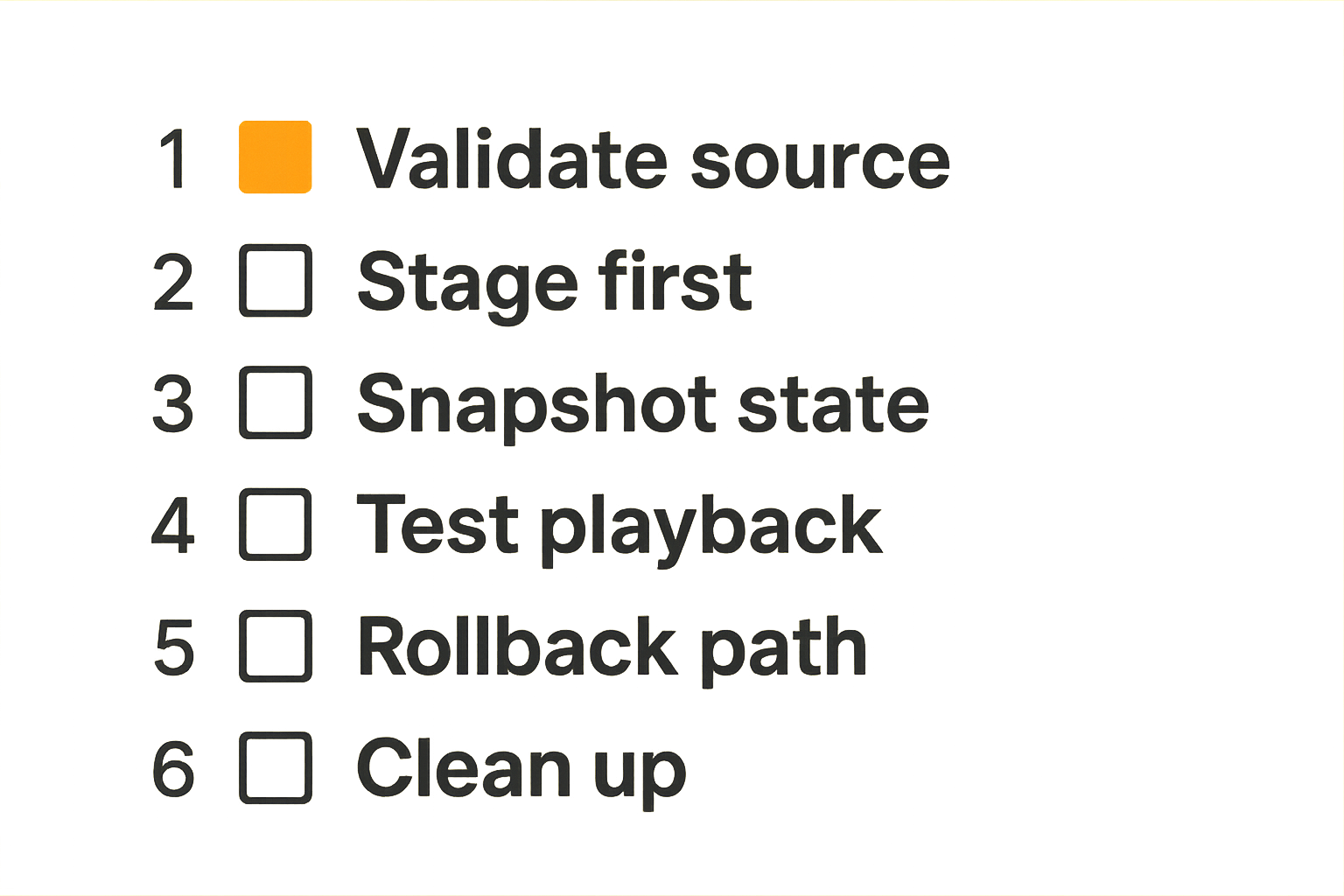
A reliable workflow can be simple:
- Intake: add a legal source, playlist, or personal media file to a staging area.
- Validate: check rights, file type, naming, size, and source trust.
- Process: download, copy, rename, transcode only when needed, or refresh guide data.
- Publish: move approved media into the library or activate the playlist snapshot.
- Verify: scan the library, test playback, and log the result.
- Maintain: clean temporary files, rotate logs, and review failed jobs.
That sequence matters because it separates states. The media is not published just because it exists. It is published when it passes your rules.
Handle failure states explicitly
Every automated workflow should know what to do when something fails.
Examples:
- Download incomplete: keep in temporary storage and retry later.
- Playlist fetch failed: keep previous working playlist.
- EPG update malformed: reject and alert.
- File naming ambiguous: move to review queue.
- Disk below free-space threshold: pause intake jobs.
- VPN route down: stop routed clients instead of falling back silently.
The mistake teams make is assuming success is the default. In production, partial success is common. A file downloads but subtitles fail. A playlist refreshes but loses half its channels. A scan completes but metadata matches the wrong title.
A simple configuration pattern
Even a small setup benefits from a plain-text operating file:
media_system:
  library_root: /media/library
  staging_root: /media/incoming
  playlist_active: /media/iptv/playlist-current.m3u
  epg_active: /media/iptv/epg-current.xml
  min_free_space_gb: 100
  torrent_active_limit: 5
  upload_limit_percent: 70
  scan_after_publish: yes
  rollback_playlist_on_failure: yes
This does not need to be fancy. It needs to be readable when something breaks at night.
Related reading from our network: Shutterfly promo codes checkout workflow is obviously a different niche, but the workflow lesson applies: state, exclusions, retries, and validation matter more than the button someone clicks.
Security and privacy are architecture choices
Security is not a plugin you add after the system works. Privacy is not a single VPN toggle. Both are design choices across devices, accounts, routing, logs, and update behavior.
Privacy controls should be boring and repeatable
Good privacy posture is consistent:
- Use legal sources and avoid shady software bundles.
- Keep torrent, IPTV, and streaming credentials separate where possible.
- Use VPN routing only where appropriate and tested.
- Confirm DNS leak behavior when privacy depends on it.
- Avoid browser extensions and APKs from unknown sources.
- Keep admin dashboards off the public internet.
A VPN can be useful, but it is not a magic compliance layer. It may also violate terms for some services. The right question is: which traffic needs which route, and what breaks if that route changes?
Untrusted devices should not own the network
Streaming sticks, smart TVs, bargain Android boxes, and random IoT devices should not have the same trust level as your NAS or router admin interface.
A practical segmentation model:
| Network | Devices | Access |
|---|---|---|
| Trusted LAN | NAS, media server, admin laptop | full internal access |
| Media clients | TVs, streaming boxes, tablets | access to media services only |
| Guest or IoT | visitors, smart devices | internet only or limited access |
| Admin VPN | remote admin device | restricted management access |
This is where computer systems technology becomes concrete. You are not just buying hardware. You are defining trust boundaries.
Logs should answer questions without exposing everything
Logs are useful when they answer operational questions:
- Did the playlist refresh?
- Did the EPG update shrink?
- Did the torrent client lose its VPN route?
- Did storage hit a threshold?
- Did a client fail playback because of transcoding?
Do not log more personal data than you need. Avoid storing unnecessary viewing details, credentials, full URLs with tokens, or long-lived debug dumps. Keep logs local unless you have a clear reason to send them elsewhere.
What breaks when computer systems technology is implemented badly
Bad architecture does not always fail immediately. It gets fragile. Then every small change becomes risky: an app update, router reboot, playlist refresh, disk filling up, or one new device joining Wi-Fi.
Common anti-patterns
Here are the failures that show up again and again:
| Anti-pattern | Why it fails | Better approach |
|---|---|---|
| One folder for everything | incomplete files enter the library | separate staging and published media |
| Unlimited torrent bandwidth | streaming and calls suffer | cap traffic and schedule heavy jobs |
| IPTV playlist overwritten blindly | good state is lost | snapshot and rollback |
| VPN on entire network | breaks local discovery and services | route specific traffic intentionally |
| No metadata review | wrong titles and seasons appear | validate naming before scan |
| Smart TV as admin device | weak security and bad UX | manage from trusted laptop or server |
| No restore testing | backups fail when needed | test restore of configs and databases |
What breaks in practice is not one big catastrophic event. It is the accumulation of small unknowns.
Troubleshooting by symptom
Use symptoms to narrow the layer before changing settings:
| Symptom | First layer to check | Likely questions |
|---|---|---|
| Local files buffer | LAN and client decode | wired test, codec, server CPU |
| IPTV guide empty | EPG data | source freshness, XML validity, mapping |
| Torrents slow everything | router and upload | caps, active jobs, VPN CPU |
| Media missing from library | storage and scan rules | path, permissions, naming, staging |
| Streaming service login fails | DNS, app, account | blocklist, app update, credentials |
| Casting not found | LAN discovery | VPN, VLAN, multicast, client network |
The practical question is: what changed, and at which layer? If you cannot answer that, your first task is documentation, not another app install.
Make computer systems technology an operating model
Computer systems technology becomes useful when it changes how you operate the media stack. The goal is not complexity. The goal is fewer surprises.
Decisions to document once
Create a short runbook. Keep it boring.
Include:
- network diagram with router, switch, Wi-Fi, server, and clients
- storage paths for staging, library, playlists, EPG, metadata, and backups
- which traffic uses VPN and why
- legal source policy for torrents and IPTV
- playlist refresh and rollback process
- backup schedule and last restore test
- admin credentials location and recovery process
- update policy for router, server, apps, and clients
This is useful even if you are the only operator. Future you is a different person when the system breaks during a live match or movie night.
Where bittorrented.com fits
bittorrented.com is for readers who care about practical media workflows: streaming services, torrents, IPTV, and home media tools. The useful product fit is not hype around one magic app. It is helping you think through the stack: sources, playback, search, live TV, discovery, privacy, and operating habits.
If you are building or cleaning up a home media setup, use the site as a workflow companion. Compare how different access methods behave. Keep legal and safe use at the center. Treat torrent and IPTV tools as parts of a system, not shortcuts around one.
That changes the conversation from more content to better operation.
Try bittorrented.com
For practical, up-to-date guidance on streaming services, torrents, IPTV, and home media tools, Try bittorrented.com. Build your 2026 setup around computer systems technology that is legal, safe, privacy-aware, and easier to operate.