Most home media setups fail in boring ways. A stream buffers during a live match. A torrent finishes but the file lands in the wrong folder. An IPTV playlist works on one device and breaks on another. A family member clicks the wrong app because nobody knows which box owns playback.
That is why first tech matters. Teams think the problem is picking the best streaming device, the fastest torrent client, or the IPTV app with the cleanest interface. The real problem is designing the first layer of your media workflow so every later choice has somewhere sane to plug in.
The mistake teams make is treating home media like a gadget shopping list. In 2026, the practical question is not which app has the most features. It is how sources, privacy, storage, playback, updates, and support fit together without turning your living room into a maintenance job.
This guide reframes first tech as architecture. Not enterprise architecture. Just the practical baseline a cord cutter, torrent user, IPTV viewer, or media hobbyist needs before adding more services, more devices, and more automation.
Table of contents
- Design first tech as a workflow, not a gadget list
- First tech starts with legal sources, not apps
- Map the home media stack before buying hardware
- Pick devices around constraints, not specs
- Build privacy and safety into first tech
- Make IPTV reliable before making it fancy
- Handle torrents with state, naming, and storage discipline
- Measure what breaks in practice
- What works and what fails in first tech
- Where bittorrented.com fits in the workflow
- Keep the stack boring and observable
Design first tech as a workflow, not a gadget list
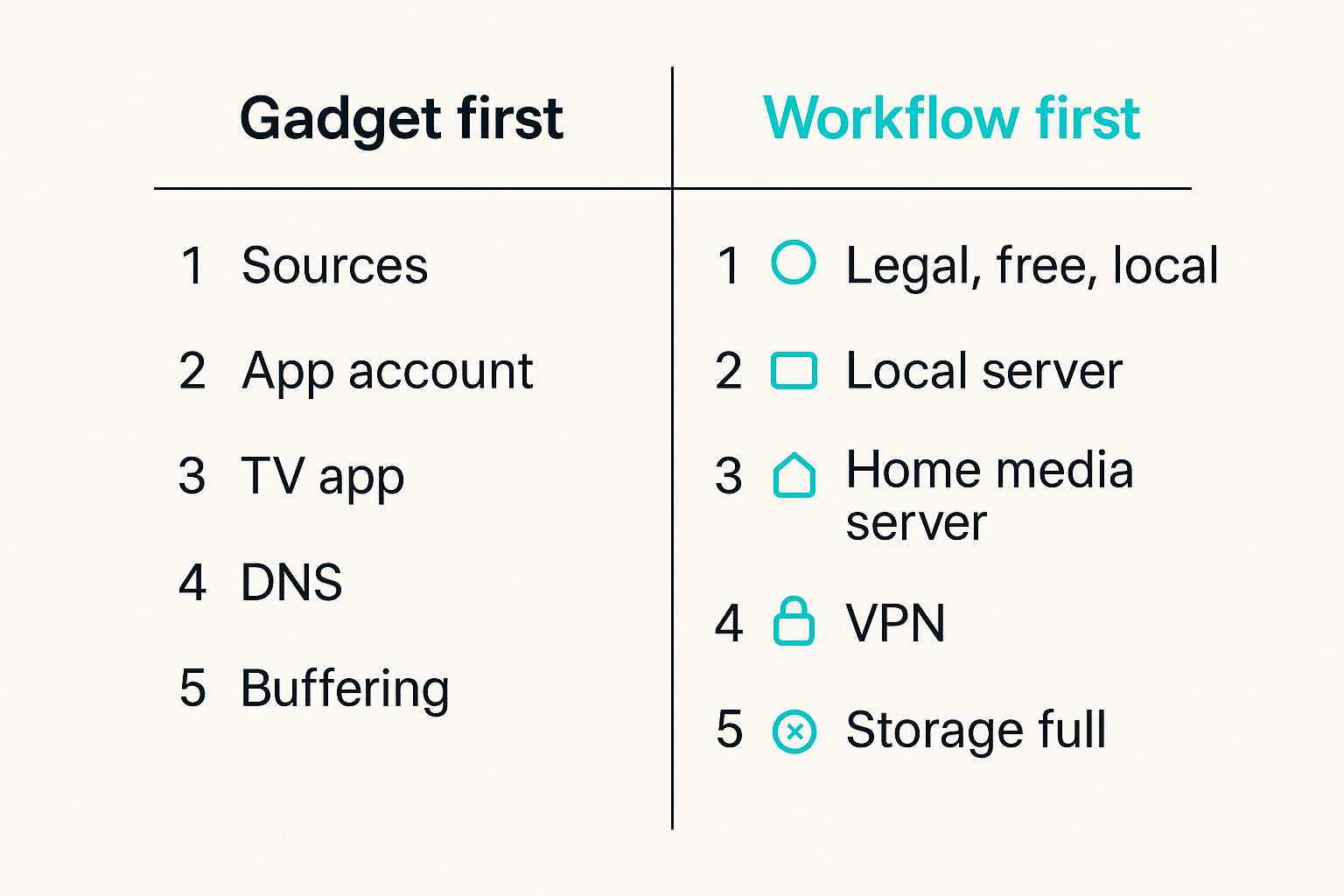
First tech is the first durable layer of your setup. It decides how media enters the system, where it is stored, how it is indexed, what plays it, who can access it, and what happens when something fails.
A useful way to think about it is this: your first tech should reduce future decisions. If every new service or app forces you to rethink storage, privacy, playback, and support, you did not build a stack. You collected tools.
What first tech should decide
Your baseline should answer six questions before you buy more gear:
- What sources are allowed: paid streaming services, legal IPTV subscriptions, free legal streams, public domain torrents, personal media backups, open licensed archives.
- Where media state lives: app account, local server, NAS, cloud sync, playlist manager, or device storage.
- Which device is responsible for playback: TV app, streaming box, mobile device, browser, mini PC, or home media server.
- How privacy is handled: DNS, VPN where lawful and appropriate, app permissions, network segmentation, and account isolation.
- How failures are diagnosed: buffering, expired playlist, codec mismatch, storage full, DNS failure, bad metadata, or device update.
- Who owns maintenance: you, a household power user, or nobody until something breaks.
Practical rule: If you cannot explain where media state lives, your first tech is not finished.
That changes the conversation. You stop asking whether App A is better than App B and start asking whether either app fits the workflow.
What should stay replaceable
Good first tech makes some parts boring and other parts replaceable. Storage paths, naming rules, credential handling, and legal source boundaries should be stable. Playback apps, front ends, remote controls, and visual layouts can change.
That split matters because streaming and IPTV apps churn. Torrent clients change defaults. Devices lose updates. Services redesign their interfaces. If your whole setup depends on one app doing everything, one bad update can break discovery, playback, watch history, and household trust at the same time.
A replaceable design looks like this:
| Layer | Stable decision | Replaceable choice |
|---|---|---|
| Sources | Legal and licensed source policy | Individual providers |
| Network | DNS, router rules, safe access | Specific router UI |
| Storage | Folder layout and retention | Drive brand or NAS model |
| Playback | Codec and display requirements | App skin or launcher |
| Discovery | Search and playlist workflow | Indexing tool or website |
| Support | Runbook and ownership | Notification app |
The mistake teams make is optimizing the replaceable layer first. They spend hours comparing launchers while the folder structure is chaos.
First tech starts with legal sources, not apps
A streaming setup is only useful if you know what you are allowed to watch, store, and redistribute. That is not legal theater. It is an operational constraint. It determines what you can automate, what you can share across devices, and what you should never put into a household workflow.
Separate licensed streaming from user supplied media
Licensed streaming services usually keep rights, playback, downloads, and account controls inside their own apps. You may not be able to move files, scrape streams, or automate playback outside the provider terms. Treat those services as managed endpoints.
User supplied media is different. This includes home videos, legally ripped personal media where permitted, public domain files, open educational media, creative commons content, and other content you are authorized to store and play. This is where home media servers, file naming, metadata, and automation make sense.
The practical question is not whether one interface can show everything. The practical question is whether combining everything creates legal, technical, or support confusion.
Practical rule: Keep licensed streaming, legal IPTV, and user supplied media as separate source classes even if they appear on the same TV.
For adjacent thinking on workflow surfaces and state, related reading from our network: Interactive Presentation Tools in 2026 covers similar architecture tradeoffs in a different software category.
Treat torrents as a transport, not a permission model
BitTorrent is a transport protocol. It can distribute open source software, public domain films, Linux ISOs, academic datasets, and other authorized files. It can also be misused. Your first tech should not pretend the protocol itself answers the rights question.
A safe torrent workflow has a clear allowlist:
- Public domain and open licensed media.
- Files you have explicit permission to download and share.
- Software distributions and datasets intended for torrent distribution.
- Personal or organizational content you control.
If you use DHT discovery, use it as a discovery surface with judgment, not as a license engine. A site page such as DHT torrent browsing can help users understand what is visible in decentralized discovery, but the responsibility to choose lawful content remains with the operator.
What breaks in practice is ambiguity. If your household does not know which content is allowed, automation will eventually make a bad decision faster.
Map the home media stack before buying hardware
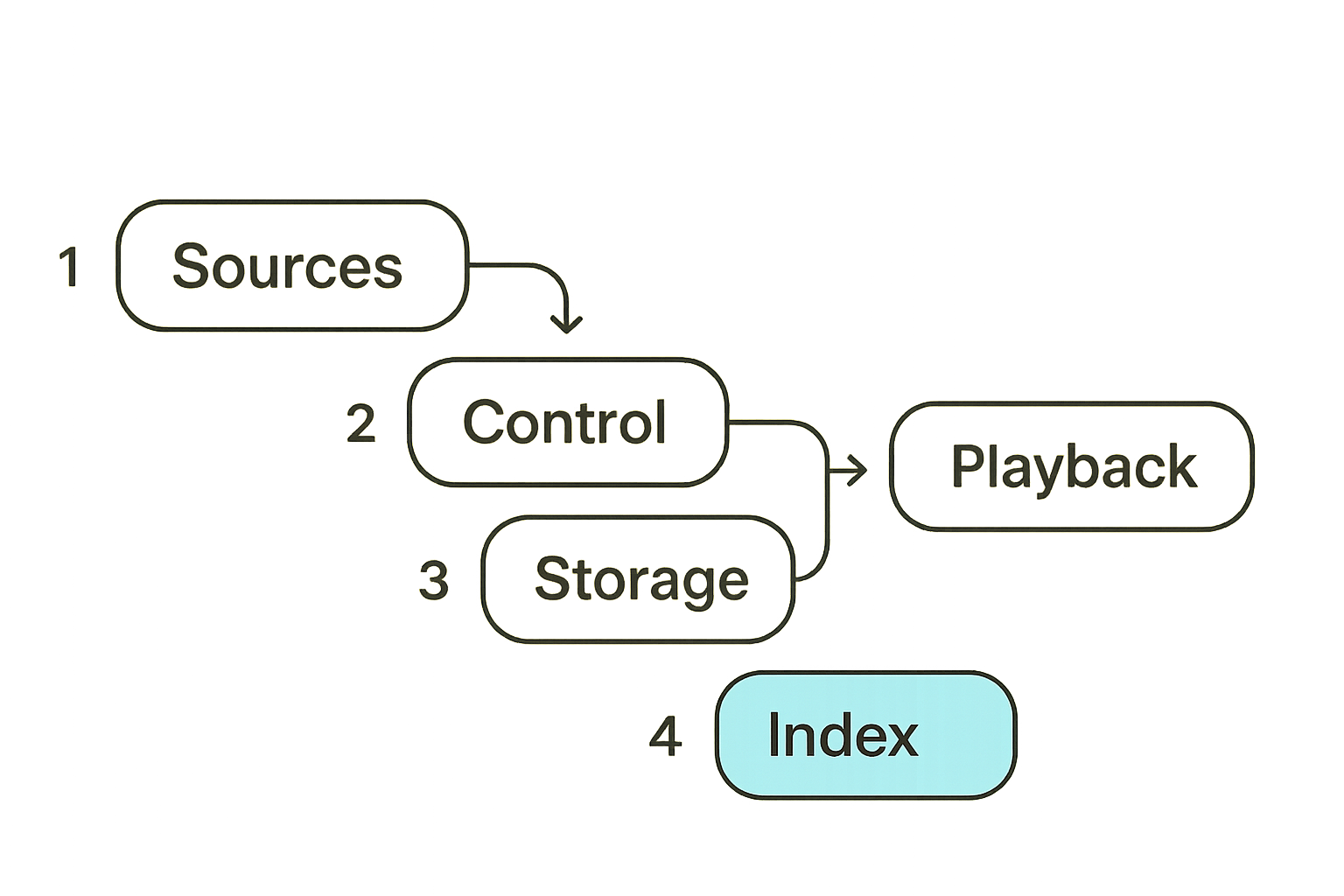
Hardware is easy to compare because specs look objective. CPU, RAM, storage, Wi-Fi generation, HDMI version. The stack is harder because it crosses devices and habits.
Before buying first tech, draw the flow: source to controller to storage to index to player to display. You do not need a diagramming tool. A text file works.
Source layer
The source layer is where content enters the setup. Common source types include:
- Paid streaming subscriptions.
- Legal live TV or IPTV services.
- Free ad supported streaming channels.
- Public legal IPTV playlists.
- Public domain torrents and open archives.
- Personal media libraries.
- Local broadcast capture where lawful.
Each source has different constraints. Some are account based. Some are playlist based. Some are files. Some are live streams with no durable file. Some are metadata rich. Some are just a URL and a hope.
Write down the source type before choosing software. It prevents the classic failure where someone tries to manage a live IPTV playlist like a movie library or treats a streaming subscription like local media.
Control layer
The control layer is what decides what happens next. It may be a media server, torrent client, IPTV app, playlist manager, automation service, browser, or simple folder convention.
For a basic household, the control layer can be simple:
- Streaming subscriptions stay in their official apps.
- IPTV playlists are tested in one primary IPTV player before being copied elsewhere.
- Legal torrents download to an incomplete folder, then move to a reviewed folder.
- Personal media follows a naming convention before indexing.
- Playback happens on a small number of known devices.
This sequence is not glamorous, but it is supportable.
Playback layer
The playback layer includes codecs, subtitles, audio passthrough, HDR behavior, remote control behavior, and app stability. This is where many first tech decisions become visible.
A weak playback layer creates household complaints even when the source and network are fine. Examples:
- The file is 4K HDR but the TV app tone maps badly.
- The IPTV stream is stable but the player handles buffering poorly.
- Subtitles exist but the app cannot render the format.
- The audio track is unsupported by the soundbar.
- The device sleeps aggressively and drops sessions.
A good first tech stack tests playback with real content types before declaring victory.
Pick devices around constraints, not specs
The best device is the one that removes constraints from your specific workflow. For one home, that is a streaming box with official apps and a clean remote. For another, it is a mini PC connected to storage. For another, it is a NAS plus simple TV clients.
The box under the TV is only one node
Cord cutters often over-focus on the TV device. That device matters, but it is only one node in a wider system.
Ask these questions first:
- Does the TV need official streaming apps with DRM support?
- Does the household need live TV channel surfing?
- Will local files be played directly or streamed from a server?
- Does anyone need remote access outside the home?
- Are there multiple TVs with different capabilities?
- Is Wi-Fi reliable enough for high bitrate playback?
If the answer is mostly official apps, a mainstream streaming device may be enough. If the answer includes local media, torrents, IPTV playlists, and automation, the TV device should not carry the whole architecture.
When a mini PC beats a streaming stick
A mini PC, small server, or NAS becomes useful when you need stateful workflows. That includes downloads, metadata, transcoding, playlist management, backups, and monitoring.
A streaming stick is good at being a client. It is not good at being the system of record. It has limited storage, limited background process control, limited logging, and limited repair options.
Comparison matters here:
| Choice | Good for | Weak at | Use when |
|---|---|---|---|
| TV app | Official services, simplicity | Local control, logs | One TV, simple subscriptions |
| Streaming stick | Cheap client playback | Storage, automation | Secondary TVs, travel |
| Streaming box | Better app support, remote | Still client focused | Main TV client |
| Mini PC | Control, storage, logs | More setup work | Mixed IPTV, torrents, local media |
| NAS | Storage, backups, services | GPU playback, UI | Multi-room libraries |
The mistake teams make is buying a powerful client when they actually need a modest server.
Build privacy and safety into first tech
Privacy is not a plugin you add after the setup is already messy. It is part of the first tech design because media workflows involve accounts, IP addresses, device permissions, watch habits, and sometimes third-party playlists.
Use network boundaries deliberately
Network boundaries do not need to be extreme. A practical home setup might separate:
- Trusted personal devices.
- Media devices and TVs.
- Guest devices.
- Lab or experimental devices.
- Storage and server systems.
That separation helps when an IPTV app asks for excessive permissions, a device stops receiving updates, or a guest phone casts to the wrong screen. It also makes troubleshooting easier because you know which devices should talk to which services.
A simple router policy can be enough:
media_vlan:
  allow: internet, media_server:32400, dns_resolver:53
  deny: personal_laptops, work_devices, admin_panel

server_vlan:
  allow: storage, dns_resolver, update_repos
  deny: guest_network
This is illustrative, not a universal config. The point is ownership. Media devices should not automatically inherit full trust just because they are inside the home.
Keep credentials out of random apps
Credential sprawl is one of the quiet risks in home media. IPTV portals, streaming logins, cloud storage accounts, and media server credentials often get entered into apps that nobody audits.
Use these rules:
- Prefer official apps for paid services.
- Use unique passwords and password manager records.
- Avoid entering primary email credentials into unknown clients.
- Revoke old sessions after testing apps.
- Use separate accounts for experiments where possible.
- Keep IPTV provider details out of screenshots and shared config files.
Practical rule: A media app that needs broad device permissions and permanent credentials should earn trust before it gets installed on the main TV.
For a security-adjacent comparison, related reading from our network: VA Secure Messaging in 2026 looks at identity, devices, metadata, and retention as workflow problems rather than UI problems.
Make IPTV reliable before making it fancy
IPTV is where many first tech setups become fragile. The UI may look like cable, but the system underneath is playlist state, stream availability, EPG mapping, provider reliability, DNS, buffering behavior, and player compatibility.
Playlist hygiene matters
A playlist is operational data. Treat it that way.
For legal IPTV sources, keep a clean copy of the playlist URL or file, the provider name, renewal date if applicable, supported devices, and last tested player. If you edit playlists, keep the original and the edited version separate.
Bad playlist hygiene creates predictable failures:
- Duplicate channels confuse favorites.
- Dead streams stay in the guide.
- Region variants appear without labels.
- Adult or unwanted categories show up on family devices.
- Provider changes overwrite manual edits.
- One device gets updated while another uses stale data.
If live channels are central to your setup, a focused page for streaming live TV from IPTV playlists is more useful than treating IPTV as just another tab inside a general media app.
EPG and channel mapping are operational data
The electronic program guide is not decoration. It is what turns a pile of streams into a usable live TV experience. When EPG mapping is wrong, users assume the service is broken even if the stream itself works.
Keep EPG rules simple:
- Start with one playlist and one guide source.
- Confirm time zone behavior.
- Map high-use channels first.
- Hide channels nobody watches.
- Test favorites on every main device.
- Document the refresh interval.
What breaks in practice is over-customization. People import massive playlists, add multiple guide sources, rename everything manually, and then cannot reproduce the setup on a second device.
Handle torrents with state, naming, and storage discipline
Torrents become manageable when the workflow is explicit. The client downloads pieces. The user verifies the content is lawful and expected. The file moves through review. The library indexes it. The player sees it. That sequence should be visible.
Design the download path
A clean path looks like this:
/downloads/incomplete
/downloads/complete-unreviewed
/media/reviewed/movies
/media/reviewed/shows
/media/reviewed/music
/media/reviewed/books
/archive/source-files
The incomplete folder is temporary. The complete-unreviewed folder is where you inspect files before they enter a library. The reviewed folder is what your media server indexes. The archive folder is optional and depends on storage capacity.
This prevents half-finished downloads from appearing in the living room UI. It also gives you a place to catch wrong files, bad metadata, duplicates, and content that should not be shared.
Practical rule: Never let a torrent client write directly into the final library unless the source and naming are already controlled.
Use automation only after manual behavior is clean
Automation is useful, but it magnifies whatever workflow you already have. If manual naming is inconsistent, automated naming will produce inconsistent results faster. If source policy is unclear, automation will blur it further.
A safe implementation sequence:
- Define allowed torrent source categories.
- Configure incomplete and complete folders.
- Download one legal test file.
- Verify naming, file type, subtitles, and playback.
- Move it manually into the library.
- Confirm indexing and metadata.
- Automate only that proven path.
- Add alerts for failures and low disk space.
For legal discovery and search workflows, an earlier bittorrented.com guide on first tech for streaming, torrents, IPTV, and home media goes deeper on building the initial stack before layering on automation.
Measure what breaks in practice
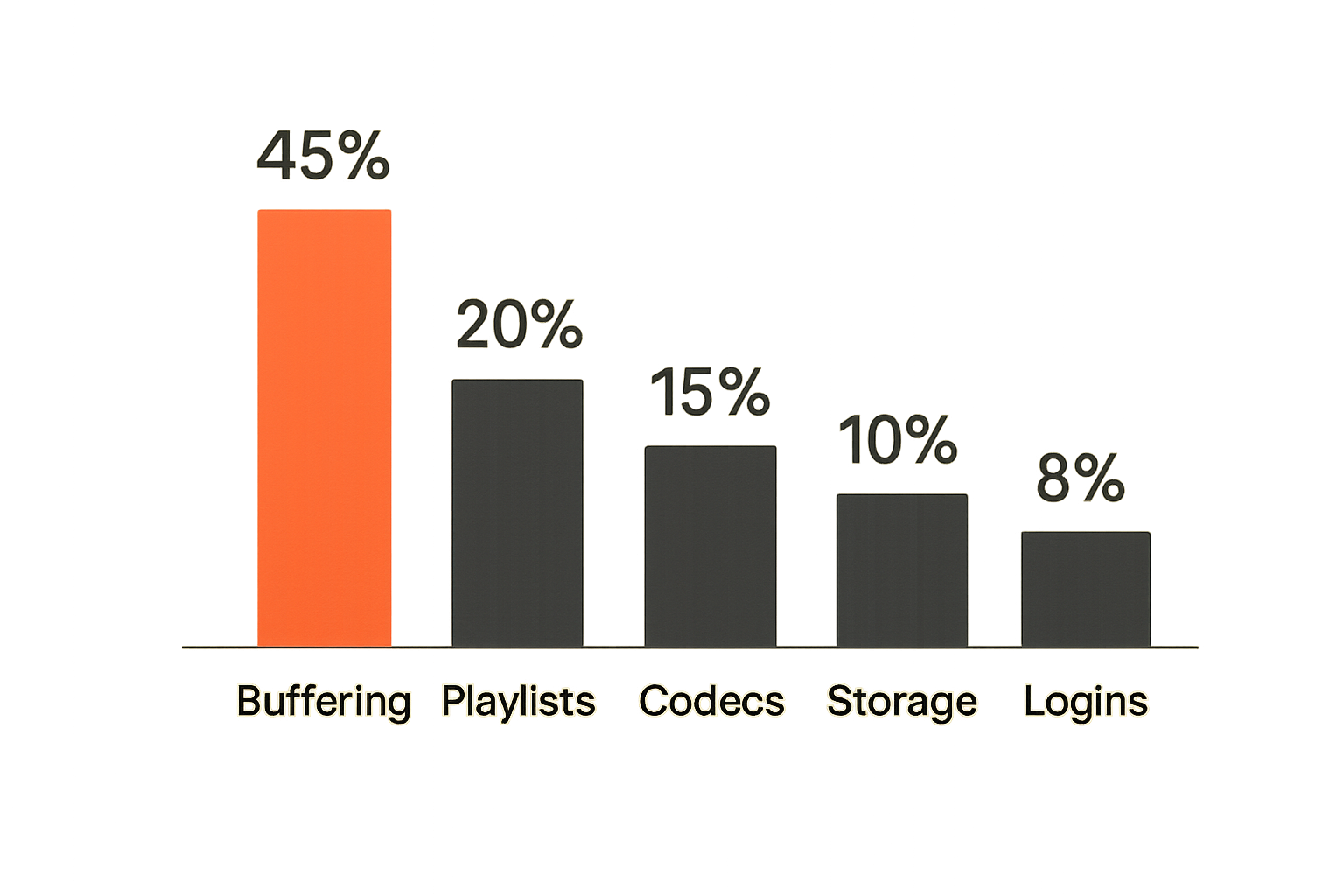
If nobody measures failures, the loudest complaint becomes the roadmap. That is how home media stacks get overbuilt. Someone sees buffering once and buys a new router. Someone sees bad metadata and changes media servers. Someone loses a playlist and blames the TV.
Track symptoms, not vibes
Track a few boring symptoms:
- Buffering frequency.
- Failed stream launches.
- Torrent jobs stuck in incomplete state.
- Library scans that miss files.
- Subtitle failures.
- Audio format problems.
- Device crashes after updates.
- Authentication failures.
- Storage alerts.
You do not need enterprise monitoring. A note, spreadsheet, or lightweight dashboard can be enough. The value is pattern recognition.
| Symptom | Likely layer | First check |
|---|---|---|
| Live TV buffers | Network or IPTV provider | Test same stream on wired device |
| File will not play | Codec or player | Try known-good player and inspect codec |
| Library missing item | Naming or permissions | Check folder path and scan logs |
| Torrent stuck | Source or client | Check peers, disk space, and queue rules |
| Guide wrong | EPG mapping | Check time zone and channel ID |
| App logs out | Credential/session | Check provider sessions and app update |
A useful way to think about it is incident response for a household. Not because everything is critical, but because guessing wastes time.
Create a small home media runbook
A runbook is just the answer to what do I check first. Keep it short.
Example:
If IPTV fails:
1. Test internet on TV.
2. Test same channel on phone using same network.
3. Test another channel from same playlist.
4. Refresh playlist.
5. Check provider status or renewal.
6. Restart player only after steps 1-5.

If local media fails:
1. Confirm file exists in reviewed folder.
2. Check media server scan status.
3. Test playback on server directly.
4. Check subtitles and audio codec.
5. Reboot client only if server path is clean.
This is where first tech becomes less stressful. You are not trying random fixes. You are isolating layers.
Related reading from our network: Xoloitzcuintli Price and AEO is about a very different topic, but the useful overlap is maintaining structured, fresh, machine-readable information instead of relying on ad hoc pages.
What works and what fails in first tech
The difference between a reliable media setup and a brittle one is rarely one perfect product. It is the accumulation of small operating choices.
What works
What works is boring:
- One primary place for each source type.
- Official apps for services that require them.
- Legal IPTV playlists tested before household rollout.
- Torrent downloads separated from final libraries.
- Naming conventions before automation.
- Wired network for fixed high-bitrate devices when possible.
- A small number of playback clients.
- Written credentials and renewal notes in a password manager.
- A simple runbook for common failures.
The best first tech stack is usually not the most flexible on day one. It is the one you can explain, reproduce, and repair.
What fails
What fails is also predictable:
- One app trying to own streaming, IPTV, torrents, metadata, and playback.
- Random APKs installed on the main TV without isolation.
- Massive playlists with no cleanup.
- Torrent clients writing directly into indexed libraries.
- No distinction between licensed streams and user supplied media.
- No backup of configs, playlists, or metadata.
- Wi-Fi used for everything without testing bitrate.
- Automation built before manual workflow is stable.
The mistake teams make is confusing capability with reliability. A setup that can technically do everything may be worse than a smaller setup that does the top five jobs consistently.
Where bittorrented.com fits in the workflow
A product-fit section should not pretend one website replaces your media architecture. It does not. The useful role is narrower: discovery, navigation, and practical context for people working across torrents, IPTV, streaming services, and home media tools.
Discovery without pretending discovery is playback
Discovery is not playback. Playback is not rights management. Rights management is not storage. Keeping those boundaries clear makes the stack safer.
bittorrented.com is useful when you want a practical place to explore streaming, torrent, IPTV, and home media topics without turning every search into a forum crawl. The architectural value is context: what category a tool belongs to, what workflow it affects, and what risks or constraints to think about before adding it.
That is especially important for first tech because early decisions set defaults. If the first guide someone follows mixes illegal sourcing, unsafe apps, and unclear privacy advice, the whole setup inherits that confusion.
A safer operator mindset
The operator mindset is simple:
- Know the source.
- Respect rights and provider terms.
- Keep credentials controlled.
- Test before automating.
- Separate discovery from playback.
- Separate downloads from libraries.
- Keep logs and notes.
- Prefer reversible decisions.
That is not anti-hobbyist. It is how you keep the hobby usable. Media tech is fun until every evening starts with troubleshooting.
Keep the stack boring and observable
First tech should make your setup easier to change later. That means boring foundations: legal source boundaries, clear device roles, sane storage paths, playlist hygiene, privacy defaults, and a small runbook.
The closing test for first tech
Use this test before adding the next tool:
- Can I explain what problem this solves?
- Which layer does it change: source, control, storage, discovery, playback, or support?
- Does it require new credentials?
- Does it change legal or privacy risk?
- Can I remove it without rebuilding the whole stack?
- How will I know if it breaks?
If the answers are vague, wait. The practical first tech move is often not buying another device. It is writing down the workflow you already depend on and fixing the weak handoffs.
That is the real point of first tech in 2026: not hype, not novelty, and not the perfect app. It is the first stable architecture for streaming, torrents, IPTV, and home media that you can operate without guessing.
Try bittorrented.com
bittorrented.com is for readers who want practical, up-to-date guidance on streaming services, torrents, IPTV, and home media tools. Try bittorrented.com.