Fubo streaming looks simple until the first blackout, device limit, billing surprise, or playoff game that buffers in the fourth quarter.
Most cord cutters start with the wrong question: “Does Fubo have the channels I want?” That matters, but it is only the first filter. The harder question is whether Fubo fits the way your household actually watches live TV, records sports, switches devices, travels, shares screens, and handles backup options when one service fails.
Teams think the problem is picking a streaming app. The real problem is building a live TV workflow that survives real household behavior.
That changes the conversation. Fubo streaming in 2026 is not just about channels and price. It is about sports rights, DVR state, home network capacity, login control, cancellation discipline, legal IPTV boundaries, privacy posture, and how much complexity you are willing to operate.
Table of contents
- Start with the fubo streaming job, not the app
- Map the household viewing workflow
- Evaluate channels, sports, and regional coverage
- Design around DVR, replay, and delay
- Plan devices, bandwidth, and home network load
- Compare fubo streaming with cable, IPTV, and mixed stacks
- Control cost, trials, and subscription sprawl
- Handle privacy, accounts, and household security
- Implement a 30-day fubo streaming test plan
- Make fubo streaming part of a legal home media stack
Start with the fubo streaming job, not the app
The mistake teams make is treating fubo streaming like a generic Netflix-style decision. It is not. On-demand streaming is forgiving. Live TV is not. If a movie fails, you restart it. If a live match fails, the moment is gone.
Define the must-not-fail moments
Start by listing the events that actually matter. For many households, that means Sunday football, Champions League, local news, baseball playoffs, Formula 1, college games, or a specific regional team. For others, it means a morning news routine or a parent who wants familiar channel surfing.
A useful way to think about it is to label every viewing need as one of three types:
- Critical live: must work in real time, usually sports or breaking news.
- Convenient live: preferred live, but replay is acceptable.
- Library viewing: on-demand, DVR, local files, or other legal media sources.
Fubo streaming should be judged hardest against critical live needs. If it fails there, a clean interface does not matter.
Practical rule: Do not buy a live TV service for its average day. Buy it for the night when three people want three different live events at once.
Separate live TV from library viewing
Cord cutters often mix too many problems into one subscription decision. They want live sports, sitcom reruns, movie libraries, local channels, niche documentaries, and maybe a way to organize personal media. No single service is great at every job.
Fubo is primarily a live TV and sports-centered service. It can cover plenty of entertainment channels, but that does not mean it should be responsible for your entire media life. If you already use Plex, Jellyfin, purchased digital libraries, free ad-supported TV, or legal public-domain torrent sources, keep those lanes separate.
That separation makes cost decisions cleaner. You stop asking whether Fubo replaces everything and start asking whether it replaces the live TV slice well enough.
Know what Fubo is optimized for
Fubo’s strongest fit is usually a household that values live sports, familiar channel grids, cloud DVR, and cable-like navigation without a cable box. Its weaker fit is a household that mostly watches scripted on-demand shows and only occasionally needs live events.
The practical question is not “Is Fubo good?” The practical question is “Is Fubo the right live layer in my stack?” If yes, design around it. If no, a cheaper combination of antenna, on-demand apps, free streaming channels, and legal IPTV playlists may make more sense.
Map the household viewing workflow
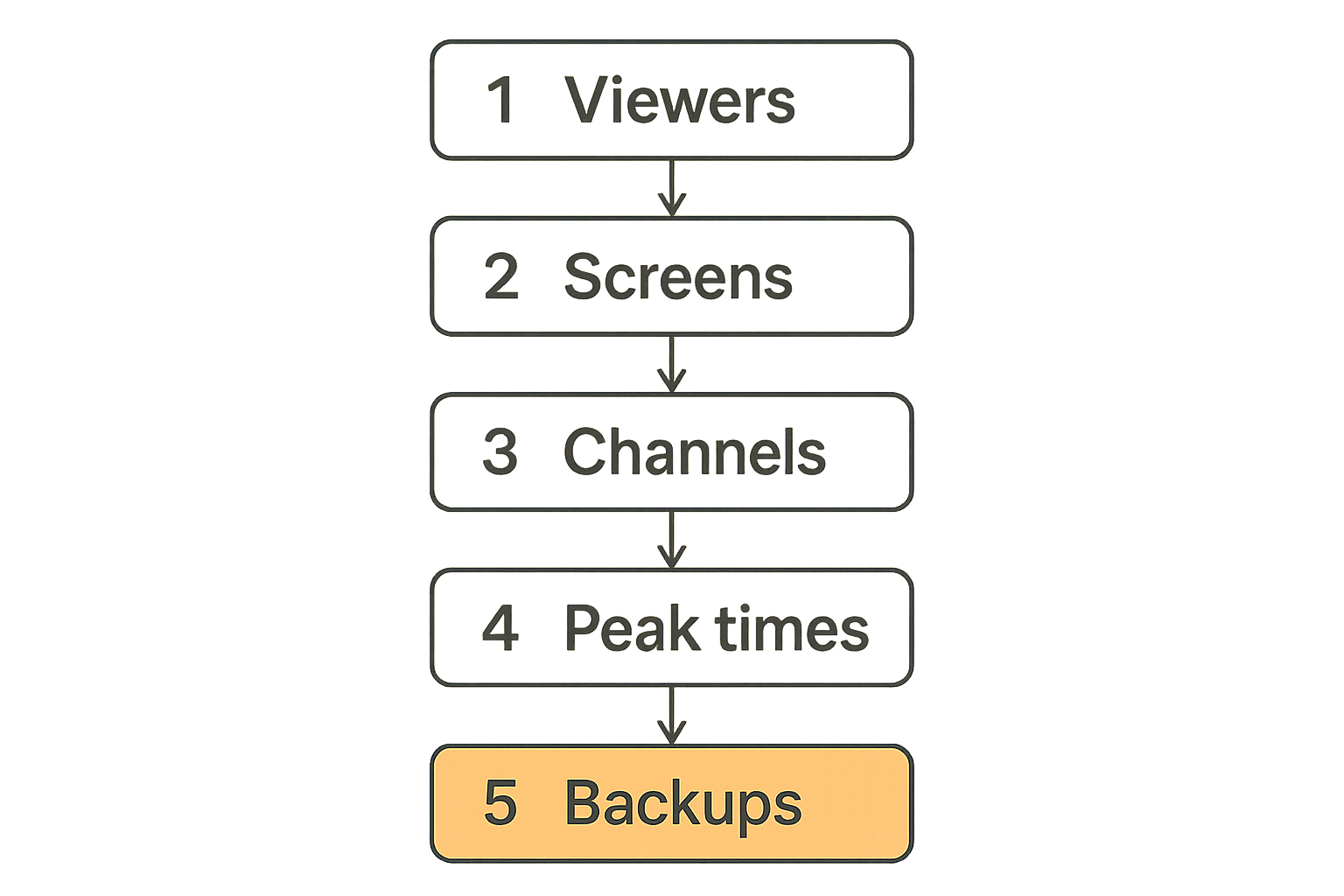
Before paying for fubo streaming long term, map how people actually watch. This sounds basic, but it prevents most bad subscription decisions.
Inventory people, screens, and time slots
Create a simple inventory:
| Item | What to record | Why it matters |
|---|---|---|
| Viewers | Adults, kids, guests, roommates | Determines simultaneous stream pressure |
| Screens | Smart TVs, phones, tablets, browsers, streaming boxes | Exposes device compatibility gaps |
| Time slots | Mornings, evenings, weekends, game days | Shows peak concurrency |
| Must-have events | Teams, leagues, news, award shows | Validates channel coverage |
| Backup options | Antenna, alternate app, radio, legal IPTV | Reduces outage panic |
The mistake teams make is testing one stream on one device during a quiet evening. That proves almost nothing. The real test is a Saturday afternoon with a live match on the TV, news on a tablet, and someone else trying to watch a recorded show.
Track channels by use case
Do not build a channel checklist alphabetically. Build it by outcome.
Example:
- Local news: local ABC, CBS, FOX, NBC availability in your market.
- National sports: ESPN, FS1, NFL Network, NBA TV, Big Ten Network, beIN Sports, or whatever matters to you.
- Regional sports: RSNs tied to your ZIP code.
- Household comfort channels: channels someone watches every week, not once a year.
- Nice-to-have filler: channels that should not drive the decision.
This keeps one loud but low-value channel from distorting the whole purchase. If nobody watches a channel weekly, it probably does not belong in the must-have category.
Build a fallback path before you need it
Live streaming fails in boring ways: authentication loops, app crashes, provider outages, ISP congestion, expired payment cards, location checks, and device updates at exactly the wrong time.
A fallback path can be simple:
- Know which critical events are also available through a league app, antenna, or another legal service.
- Keep one tested secondary device signed in.
- Save support links and billing login details where the account owner can access them.
- Test the fallback once before a major event.
If you also manage IPTV playlists for legal live channels, keep that workflow separate from Fubo rather than blending sources into a confusing mess. BitTorrented’s live TV tooling is built for readers who want to organize legitimate IPTV streams, and the live TV playlist experience is a useful reference point when comparing a managed service like Fubo with playlist-based viewing.
Evaluate channels, sports, and regional coverage
Fubo streaming rises or falls on rights. The UI can be polished, the DVR can be generous, and the app can feel fast. None of that matters if the game you care about is blacked out or on a missing network.
Sports rights are the real dependency graph
Sports rights are fragmented by league, region, day, package, and sometimes device. In production, this is where cord-cutting plans break.
A household might need:
- Local broadcast networks for NFL and major events.
- ESPN or Fox networks for national games.
- Regional sports networks for local NBA, NHL, or MLB teams.
- League-specific apps for out-of-market games.
- Occasional premium add-ons for tournaments or specialty coverage.
What breaks in practice is assuming “sports streaming” means one universal sports package. It does not. Fubo may cover a large part of the map, especially for sports-heavy households, but you still need to validate the exact leagues, teams, and market restrictions that matter to you.
Local channels and RSNs need market testing
ZIP code matters. Two households in different markets can have very different Fubo experiences. Local channel availability and regional sports network coverage are not abstract features; they are location-dependent dependencies.
Before committing:
- Enter your actual home ZIP code during signup research.
- Confirm local affiliates inside the app, not just on a marketing page.
- Search for your team names and upcoming games.
- Check whether recordings behave as expected for live sports.
- Test while physically at home, because location rules can differ when traveling.
Practical rule: Treat regional sports coverage like an integration test. Marketing pages are documentation; your ZIP code and actual schedule are the production environment.
Do not assume one package covers every league
A clean setup may still require more than one service during certain seasons. That is not failure; it is the current media rights market. The failure is pretending otherwise and being surprised later.
For example, you may use Fubo for most live TV, a separate app for one league package, free over-the-air channels for local broadcasts, and a movie service for on-demand viewing. The goal is not purity. The goal is predictable access at a cost you understand.
Related reading from our network: privacy and access tradeoffs show up in other technical stacks too, and this practical guide to identity and access management for cloud security is a useful adjacent read if you like thinking in dependencies, permissions, and failure modes.
Design around DVR, replay, and delay
DVR is where live TV becomes a state management problem. Fubo streaming can make recording feel simple, but your household still needs rules.
DVR is state, not storage
With old cable DVRs, people understood the box. It had recordings. It had space. It lived in the house. Cloud DVR changes the model. Recordings are account state attached to provider rules, channel rights, retention policies, and app behavior.
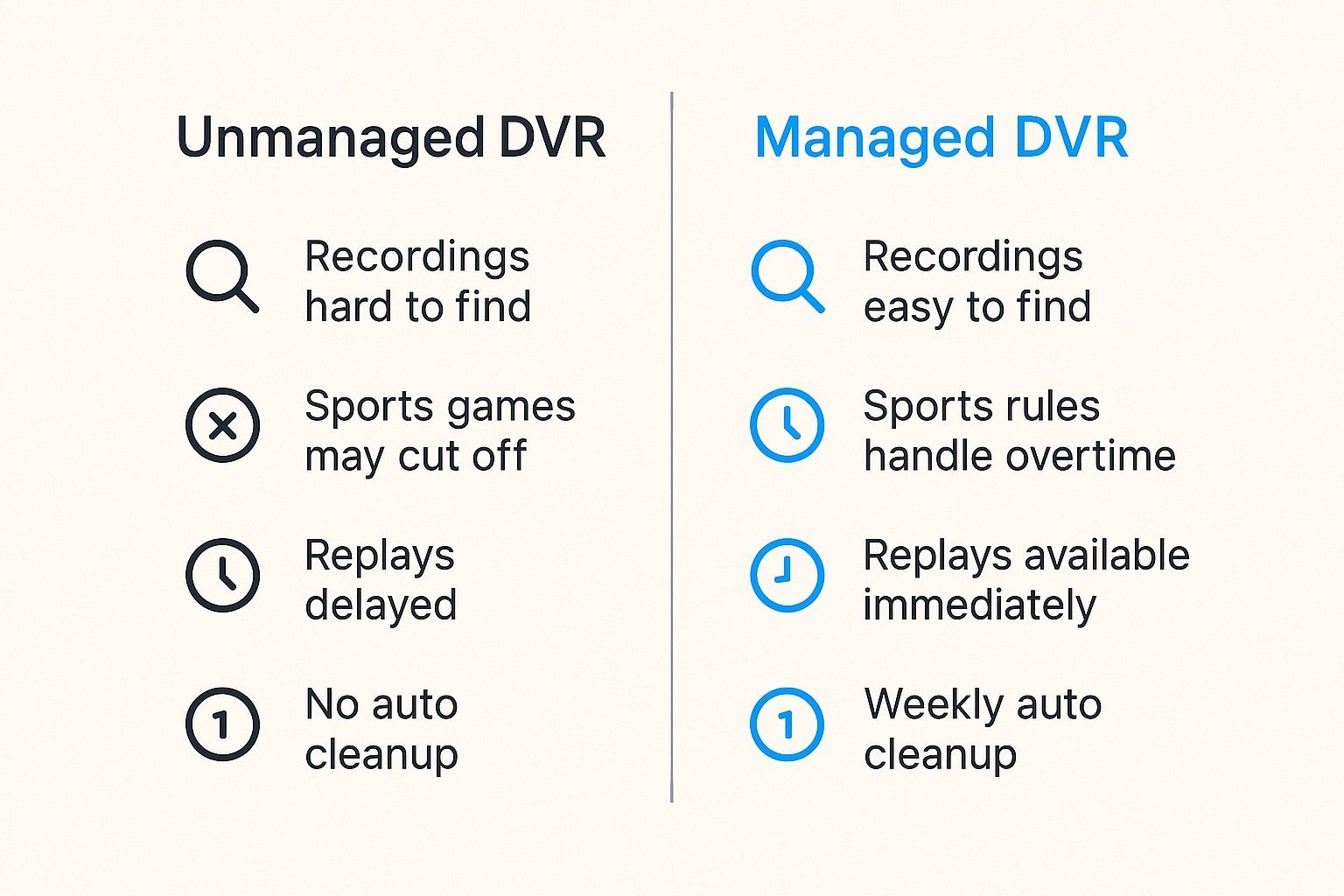
That means you should ask:
- Can every viewer find recordings easily?
- Are sports recordings extended automatically when games run long?
- Are replays available immediately or delayed?
- Do recordings disappear after a certain period?
- Can you record every episode, only new episodes, or specific teams?
The practical question is not only “How many hours are included?” It is “Does the DVR behave the way my household expects under real schedules?”
Live delay changes sports behavior
Streaming live TV usually has more delay than cable, satellite, or antenna. Sometimes that delay is small. Sometimes it is enough for phone alerts, group chats, betting apps, or neighbors to spoil a goal before you see it.
If sports are critical, change the workflow:
- Disable score notifications during live events.
- Avoid social feeds until the stream catches up.
- Consider antenna for local events where low latency matters.
- Test delay across devices; a TV app and phone app may not match exactly.
This is not unique to Fubo. It is a live streaming reality. But it affects how enjoyable the service feels.
Recording rules should be explicit
Households get into arguments because DVR rules are implicit. Someone assumes every game is recorded. Someone else assumes only favorite teams are recorded. The app did what it was told, but nobody agreed on the instruction.
Use explicit rules:
- Record every game for must-follow teams.
- Record only live airings when duplicate replays clutter the library.
- Add buffer time manually when the app allows it and the sport often runs long.
- Review recordings weekly during active seasons.
- Delete old recordings before the library becomes unusable.
This turns DVR from a junk drawer into an operating system for live TV.
Plan devices, bandwidth, and home network load
Fubo streaming quality depends on the full path: app, device, Wi-Fi, router, ISP, CDN, and the service itself. When playback fails, users blame the app. Sometimes they are right. Often the bottleneck is local.
The app is only as good as the weakest screen
Test every device you expect to use. Smart TV apps can lag behind dedicated streaming boxes. Older tablets may struggle with app updates. Browsers may behave differently across operating systems.
Build a compatibility matrix:
| Device | Use case | Test result | Action |
|---|---|---|---|
| Living room TV | Primary sports screen | Must be smooth | Upgrade device if needed |
| Bedroom TV | Secondary viewing | Good enough | Keep signed in |
| Phone | Travel and backup | Must authenticate cleanly | Enable password manager |
| Tablet | Kitchen or guest screen | Optional | Test before game day |
| Browser | Admin and billing | Reliable login | Bookmark account page |
A $40 streaming box can be cheaper than months of frustration with a slow built-in TV app.
Bandwidth problems look like service problems
Buffering is not a diagnosis. It is a symptom. The cause might be weak Wi-Fi, congested mesh backhaul, old router firmware, ISP throttling, overloaded local network, or a service-side issue.
What works:
- Wire the primary TV or streaming box with Ethernet when possible.
- Put the router in a central location, not behind a cabinet.
- Separate 2.4 GHz IoT clutter from high-bandwidth devices where your router supports it.
- Reboot and update devices before important events, not during them.
- Run speed and latency checks near the actual viewing device.
What fails:
- Buying a faster internet plan while the TV has weak Wi-Fi.
- Testing speed beside the router instead of beside the device.
- Letting every household device update during a live event.
- Assuming one successful stream proves three simultaneous streams will work.
Practical rule: If the primary screen matters, treat it like infrastructure. Wire it, update it, test it, and keep a backup device ready.
Test game-day concurrency
Concurrency is where clean streaming setups become messy. A household might be allowed multiple streams, but that does not mean the network, devices, and account rules will cooperate smoothly.
Run a real test:
- Start a live sports channel on the main TV.
- Start a different live channel on a second device.
- Start a DVR recording or replay on a third device.
- Move one device to a weaker Wi-Fi area.
- Watch for buffering, account warnings, quality drops, and audio sync issues.
Do this before the season starts. Game day is not the time to discover that the guest room TV cannot hold a stable stream.
Compare fubo streaming with cable, IPTV, and mixed stacks
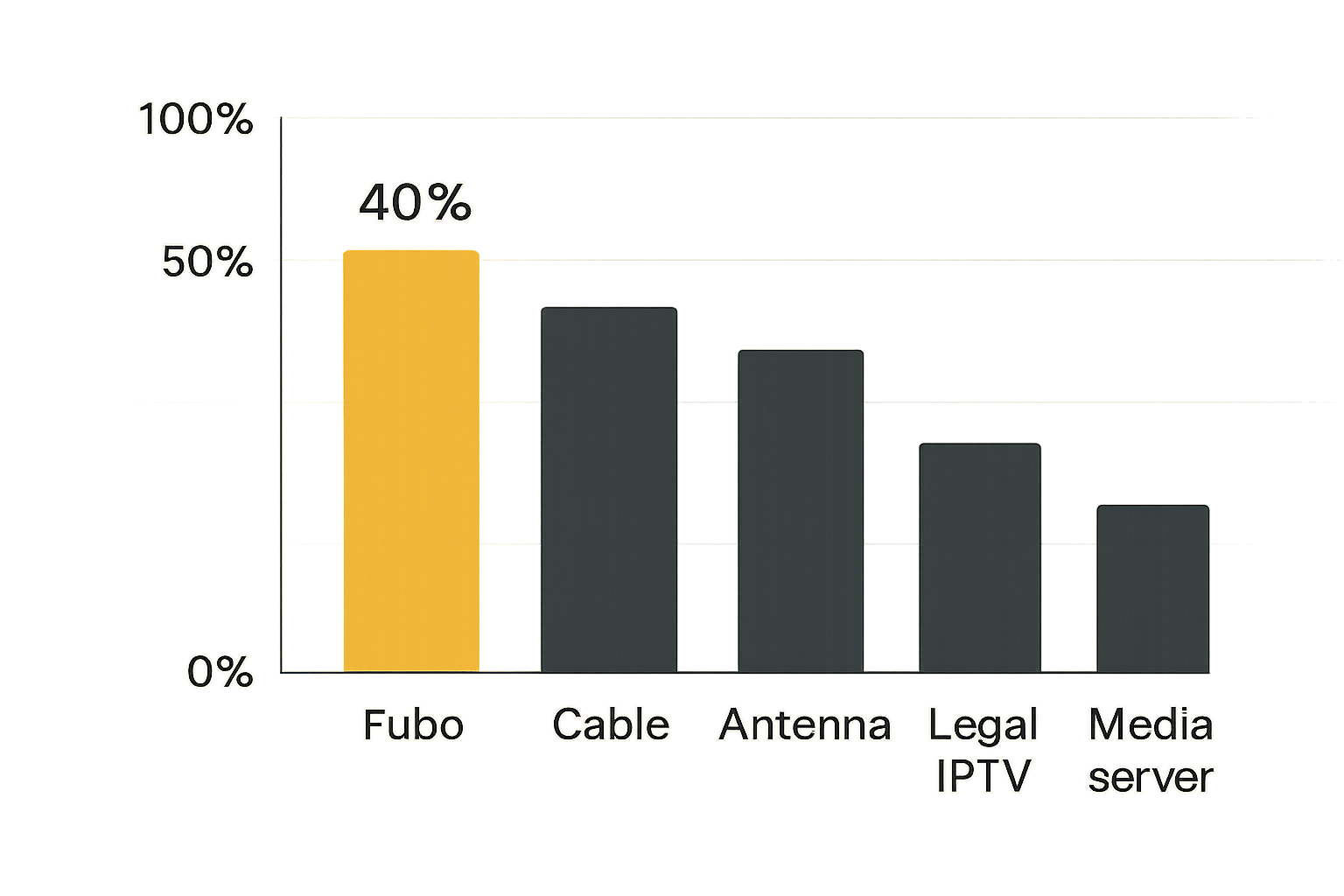
Fubo streaming is one architecture option. Cable, satellite, antenna, free ad-supported TV, legal IPTV playlists, and on-demand services are others. The right answer depends on the job.
Where Fubo wins
Fubo tends to make sense when you want:
- A cable-like live TV guide without cable hardware.
- Sports-heavy channel packages.
- Cloud DVR without managing local tuners or storage.
- Easy onboarding for non-technical household members.
- A single bill for a large live TV bundle.
This is the managed-service model. You give up some control, but you reduce operational burden. For many households, that tradeoff is worth it.
Where Fubo fails
Fubo is a poor fit when:
- You only need one or two live channels.
- Your must-have regional sports network is unavailable.
- You mostly watch on-demand libraries.
- Your budget is extremely tight.
- You want full control over playlists, tuners, recordings, and local media.
The mistake teams make is forcing one managed app to solve every viewing problem. If your household is comfortable with more configuration, a mixed stack may be cheaper and more flexible.
| Approach | Best for | Operational burden | Main failure mode |
|---|---|---|---|
| Fubo streaming | Sports-heavy live TV | Low to medium | Missing rights or rising cost |
| Cable or satellite | Traditional reliability and bundles | Low | Contracts, fees, hardware limits |
| Antenna plus apps | Local broadcasts and on-demand | Medium | Reception and app fragmentation |
| Legal IPTV playlists | Custom live channel organization | Medium to high | Playlist quality and maintenance |
| Personal media server | Owned or licensed local libraries | High | Storage, metadata, remote access |
Legal IPTV belongs in a separate lane
IPTV is a transport method, not a license. Some IPTV sources are legitimate, such as broadcaster-provided streams, paid services, community channels, or your own network feeds. Others are unauthorized and risky. Keep that distinction clear.
If you use IPTV playlists, document where each source comes from, whether you have the right to access it, and who maintains it. Do not mix questionable streams into a household setup and then wonder why reliability, privacy, or legal exposure becomes a problem.
For a deeper adjacent walkthrough focused specifically on Fubo as part of a cord-cutter architecture, our prior guide on fubo streaming in 2026 covers channel planning, sports fit, DVR, devices, and IPTV boundaries from a similar practical angle.
Control cost, trials, and subscription sprawl
The advertised price is the beginning of the cost conversation, not the end. Live TV bundles can creep upward through add-ons, regional fees, premium channels, overlapping apps, and forgotten trials.
The advertised price is not the operating cost
Build a monthly media budget that includes everything:
- Fubo base plan.
- Sports or entertainment add-ons.
- Regional fees where applicable.
- Separate league apps.
- Movie or series streaming services.
- Internet plan cost changes after cutting cable.
- Hardware purchases such as streaming boxes, antennas, or routers.
A service can be worth paying for and still be unmanaged. The point is to know the real number.
Related reading from our network: subscription discipline has similar mechanics in business software, and this workflow guide to invoicing software is a useful comparison for anyone who likes renewal calendars, controls, and month-end cleanup.
Use a renewal calendar
The simplest cost control tool is a calendar. Put renewal dates, trial expiration dates, sports season start dates, and cancellation windows in one place.
A practical setup:
- Create a “media subscriptions” calendar.
- Add every service with price and renewal date.
- Add a reminder seven days before renewal.
- Review add-ons after each sports season.
- Cancel services during off-months instead of letting them idle.
This is boring, which is why it works.
Cut features before you cut the service
If Fubo covers your must-have live events but feels expensive, first look for optional extras:
- Are you paying for premium channels nobody watches?
- Did you add a sports tier for a tournament that ended?
- Are duplicate services covering the same channel?
- Can one on-demand service rotate monthly instead of running all year?
Do not cut the live service that carries the must-not-fail events until you understand what replaces it. Random cancellation creates support tickets for your future self.
Handle privacy, accounts, and household security
Streaming accounts are not high-security systems like banking, but they still matter. They contain payment data, viewing history, household profiles, location signals, and sometimes cross-device tracking.
Streaming accounts are shared infrastructure
A shared household login needs basic controls:
- Use a strong unique password.
- Store it in a password manager.
- Avoid sending passwords in group chats.
- Remove old devices when roommates, guests, or ex-partners no longer need access.
- Keep recovery email and payment methods current.
What breaks in practice is account ambiguity. Nobody knows who owns the login, which email receives alerts, or why the app suddenly asks for reauthentication before a live event.
Reduce tracking where it does not hurt usability
You can improve privacy without making the service unusable:
- Limit ad personalization where the app or device allows it.
- Review smart TV privacy settings.
- Disable unnecessary automatic content recognition on TVs when possible.
- Use separate profiles for different viewers if recommendations matter.
- Keep streaming apps updated to reduce security and playback issues.
Be skeptical of extreme privacy advice that breaks normal streaming. Many live TV apps rely on location checks, DRM, and account verification. Blocking everything can cause more problems than it solves.
Separate legal media from risky sources
Torrent users and IPTV viewers should be especially disciplined here. Torrents are a distribution technology with legitimate uses, including public-domain media, Linux ISOs, open licensed works, and creator-approved releases. They are also frequently used for infringement. The architecture should make the legal boundary obvious.
Keep licensed streaming accounts, legal IPTV playlists, and legitimate torrent workflows separated by source, folder, and device policy. Do not route your household’s paid live TV workflow through sketchy apps, unknown APKs, or unauthorized playlists.
Related reading from our network: if private communications and metadata are part of your broader digital life, this practical architecture guide to end-to-end encryption messaging is a useful adjacent read on device trust and privacy tradeoffs.
Implement a 30-day fubo streaming test plan
A trial or first month should not be casual browsing. Treat it like an evaluation period with pass/fail criteria. The goal is to decide whether fubo streaming belongs in your long-term stack.
Week one: baseline the essentials
During the first week:
- Confirm all must-have channels appear in the guide.
- Search for upcoming games, shows, and local broadcasts.
- Install the app on every expected device.
- Start recordings for favorite teams or shows.
- Test account login and password recovery.
- Measure stream quality on the main TV during peak evening hours.
Write down failures. Do not rely on memory. A channel missing once may be a rights issue, a guide issue, or user error. You need notes to tell the difference.
Week two and three: stress the workflow
Now push the setup harder:
- Run simultaneous streams.
- Watch from a weak Wi-Fi area.
- Start a recording while watching another channel.
- Resume a recording from a different device.
- Test local channels during news hours.
- Watch at least one full live sports event.
- Try the backup device without warning.
This is where you learn whether Fubo feels like infrastructure or just another app.
Week four: decide with evidence
At the end of the month, score the service against your original jobs:
| Decision area | Pass condition | Result |
|---|---|---|
| Must-have sports | All critical events available | Pass, fail, or seasonal gap |
| Local channels | Correct affiliates and quality | Pass or fail |
| DVR | Recordings reliable and findable | Pass or needs rules |
| Devices | Main and backup screens stable | Pass or upgrade needed |
| Cost | Fits monthly media budget | Pass or trim add-ons |
| Household adoption | Non-technical users can operate it | Pass or too complex |
If the result is mixed, do not default to yes. Decide whether the failure is fixable. A bad Wi-Fi device is fixable. A missing regional sports network is usually not.
Make fubo streaming part of a legal home media stack
Fubo streaming works best when it has a clear job: managed live TV, especially for sports-heavy cord cutters. It works worst when it is expected to replace every media source, solve every rights gap, and hide every network problem.
Where bittorrented.com fits
At bittorrented.com, the useful framing is not “streaming app versus torrents versus IPTV.” That is too simplistic. The better framing is legal media workflows: live TV where you have rights, IPTV playlists from legitimate sources, torrent technology for lawful distribution, and home media tools that keep the whole setup understandable.
If you are comparing managed live TV with more configurable media workflows, the broader BitTorrented home media experience is built for readers who want practical guidance across streaming services, torrents, IPTV, and home media tools without pretending the UI is the whole system.
The practical question is whether each tool has a clean lane. Fubo can be the live sports lane. An antenna can be the local backup lane. Legal IPTV can be the custom channel lane. A personal media server can be the owned-library lane. Once those lanes are clear, support gets easier.
Try bittorrented.com
For practical, up-to-date guidance on streaming services, torrents, IPTV, and home media tools, Try bittorrented.com. Fubo streaming is easier to evaluate when it is part of a clean, legal, privacy-aware media workflow.