Fubo streaming usually gets evaluated the wrong way. Someone opens the channel page, checks whether the big sports networks are there, compares the monthly price to cable, and calls that due diligence.
That works until the first blackout, missing local channel, device conflict, shared password problem, or DVR failure during a live event. Then the conversation changes from price to operations.
Teams think the problem is finding a cheaper cable replacement. The real problem is designing a live TV workflow that survives real household behavior: sports seasons, multiple screens, local rights, billing changes, travel, kids, guests, and the rest of your media stack.
Fubo streaming in 2026 should be treated as an architecture decision. The practical question is not only whether Fubo has the channels. It is whether Fubo fits the way your home actually watches, records, discovers, and supports live media.
Table of contents
- Fubo streaming is a workflow decision, not just a channel list
- What Fubo is good at in 2026
- Map your channels, rights, and local constraints before you subscribe
- Build the home media architecture around Fubo streaming
- Compare Fubo with cable, IPTV, and on-demand apps
- Design the device, network, and account setup
- Use DVR, alerts, and calendars like operations tooling
- Common fubo streaming failure modes
- A practical switching workflow for cord cutters
- Where bittorrented.com fits into a legal streaming stack
Fubo streaming is a workflow decision, not just a channel list
The channel grid is only one dependency
A channel grid is useful, but it is not the system. It tells you whether a network may be available. It does not tell you whether your specific event will be available in your location, whether the app behaves well on your oldest TV, whether the DVR rule catches overtime, or whether the subscription still makes sense after add-ons.
The mistake teams make is treating Fubo like a static product comparison. In practice, live TV is dynamic. Sports rights move. Local affiliates vary. Regional sports networks behave differently by ZIP code. Device apps update. Families change viewing habits during playoffs, holidays, school breaks, and travel.
A useful way to think about it is dependency mapping. Fubo is one dependency in a larger media pipeline. The pipeline includes internet service, Wi-Fi, streaming devices, account credentials, payment method, household expectations, and fallback options.
Practical rule: Do not buy fubo streaming because the marketing page looks close to cable. Buy it only after you map the events, screens, people, and failure cases it needs to support.
If you want a companion checklist focused on day-to-day switching, our earlier Fubo streaming cord-cutter workflow walks through the practical evaluation steps for sports, live TV, DVR, and home media fit.
The real unit is a household workflow
The real unit is not the subscription. It is the household workflow.
That workflow usually looks something like this:
- Someone wants live sports with minimal delay.
- Someone else wants news in the kitchen.
- A shared TV needs simple navigation.
- A phone or tablet needs access while traveling.
- A DVR rule needs to record a game when nobody is home.
- A support person in the house needs to know what to do when it breaks.
Once you frame it that way, Fubo becomes easier to evaluate. You stop asking whether it has enough channels in the abstract. You ask whether it reduces friction for the actual watch patterns in your home.
That changes the conversation. A cheaper plan that misses one must-have channel may be more expensive in support time. A more expensive plan may be rational if it replaces cable boxes, sports packages, and scattered app subscriptions. The right answer depends on the workflow, not the headline price.
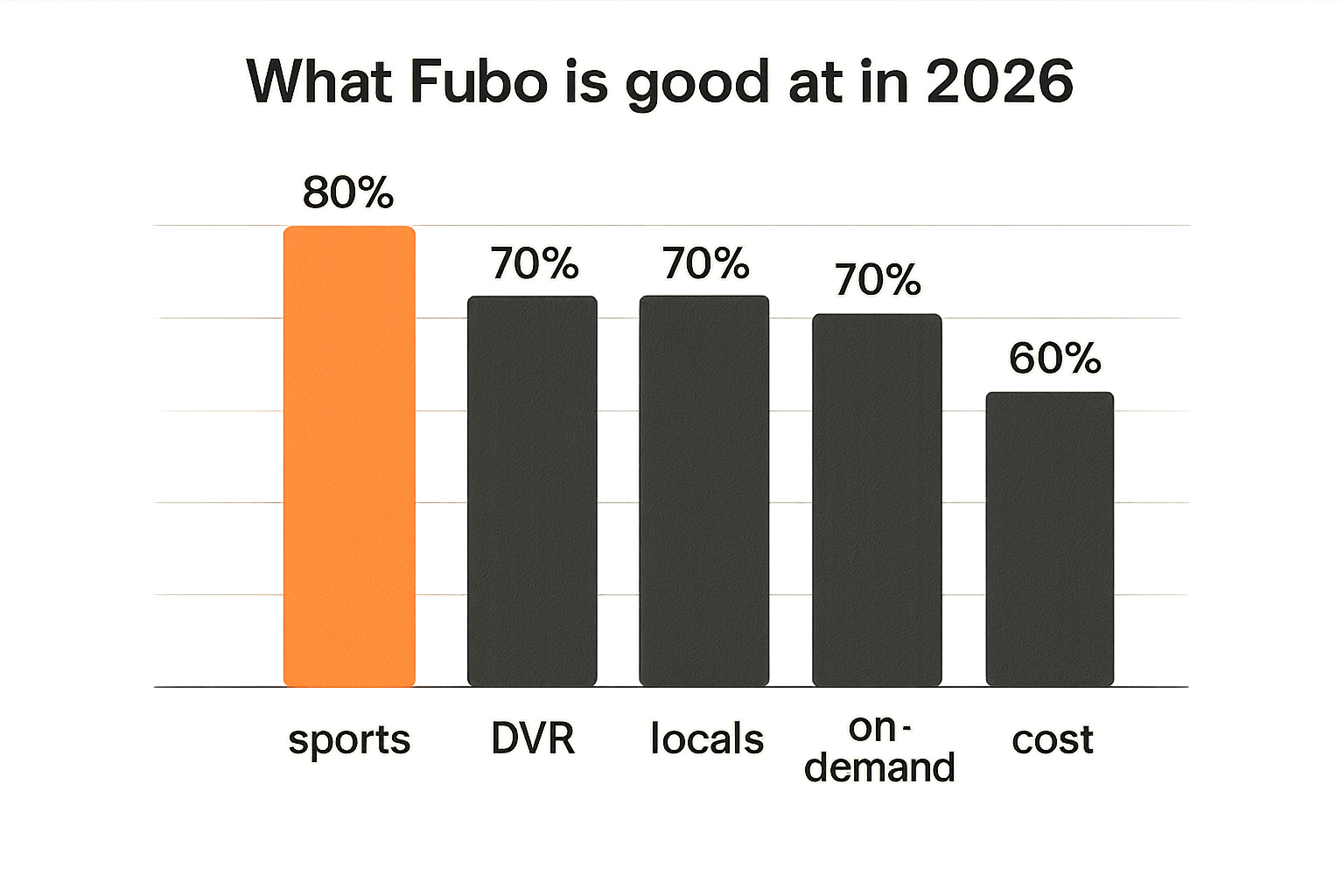
What Fubo is good at in 2026
Sports-first live TV
Fubo is still best understood as a sports-first live TV service. That does not mean it is only for sports, but sports is the reason many cord cutters consider it before generic on-demand bundles.
The practical appeal is simple: Fubo tries to put live sports, news, entertainment channels, and DVR into one app instead of forcing you to juggle league apps, network apps, cable credentials, and antennas. For a household that watches football, soccer, basketball, baseball, racing, college sports, or combat sports, that consolidation can matter.
What breaks in practice is assuming all sports are equal. League, network, local affiliate, regional sports network, and national broadcast rights can split coverage in ways that are not obvious until game day. You need to validate your actual teams and events, not just the presence of a network logo.
Cloud DVR and device coverage
Cloud DVR is one of the most important parts of the Fubo workflow because it changes live TV from a fixed-time behavior into a recoverable event. You can record games, news, shows, and late-night programming without managing physical storage.
Device coverage also matters. A streaming service is only as good as its worst screen. If your main living room device is fast and current but the bedroom TV runs an old app platform, the household experience will be uneven.
The practical question is whether Fubo works well on the devices that get used under pressure. Sports are a pressure test. Live events expose app startup time, remote-control friction, stream stability, and delay more aggressively than background TV.
Where it is weaker
Fubo is not a universal media solution. It may not be the cheapest path for households that mostly watch on-demand shows. It may not replace niche streaming services. It may not satisfy viewers who rely heavily on specific local channels, premium networks, or certain regional sports rights.
The mistake teams make is expecting one subscription to collapse every media use case. That is rarely how home media works in 2026. Most cord cutters end up with a stack: one live TV provider, one or two on-demand services, a legal local media library, perhaps an antenna, and maybe IPTV playlists for legitimate free or paid streams.
Related reading from our network: Encrypted Messaging Video Transcoding covers private media workflow design from a different angle, but the same lesson applies here: transcoding, delivery, access, and support are part of the system, not extras.
Map your channels, rights, and local constraints before you subscribe
Start with must-have events
Do not start with every channel you might watch. Start with must-have events.
Build a list like this:
- Local NFL team games
- National prime-time games
- College football conference games
- Local NBA, NHL, or MLB team coverage
- Soccer leagues and tournaments
- Local news station
- Major family shows watched live
- Any annual events that matter in your house
Then map each event to the expected broadcaster. This is where many bad subscription decisions get caught early. If an event is split across broadcast TV, cable sports networks, regional sports networks, and streaming exclusives, a single service may not cover everything.
Practical rule: Validate events, not channels. A channel logo does not guarantee that the specific game, race, match, or local broadcast you care about will be available in your location.
Validate local stations and RSNs
Local stations and regional sports networks are the part of live TV that still surprises people. The same service can feel excellent in one ZIP code and incomplete in another.
Before committing, check the exact local lineup for your address. Then test it on the device you will use most. Do not rely only on a laptop browser test if the real use case is a living room streaming stick.
For IPTV viewers, this is also where boundaries matter. Legitimate IPTV can be useful for free ad-supported channels, public streams, and paid services that provide playlists. But grey-market channel bundles create reliability, legal, privacy, and payment risks. If you use IPTV as part of a legal stack, keep it documented and separate from paid subscriptions.
For readers managing lawful playlists and live channel discovery, BitTorrented live TV is relevant because it treats IPTV as a playlist and channel workflow, not a magic replacement for licensed sports rights.
Keep a cancellation path
Cord cutting should reduce lock-in, not recreate it. Keep a cancellation path from the start.
That means:
- Know the billing date.
- Document add-ons separately from the base plan.
- Avoid stacking trials you cannot remember.
- Keep cable or antenna fallback during the test period if the event calendar is risky.
- Review the plan after the sports season changes.
What fails is emotional switching. Someone gets annoyed with cable, signs up for a new live TV bundle, cancels everything else immediately, and then discovers a missing event two weeks later. A cleaner approach is overlap, test, then cut.
Build the home media architecture around Fubo streaming
Separate live TV from library media
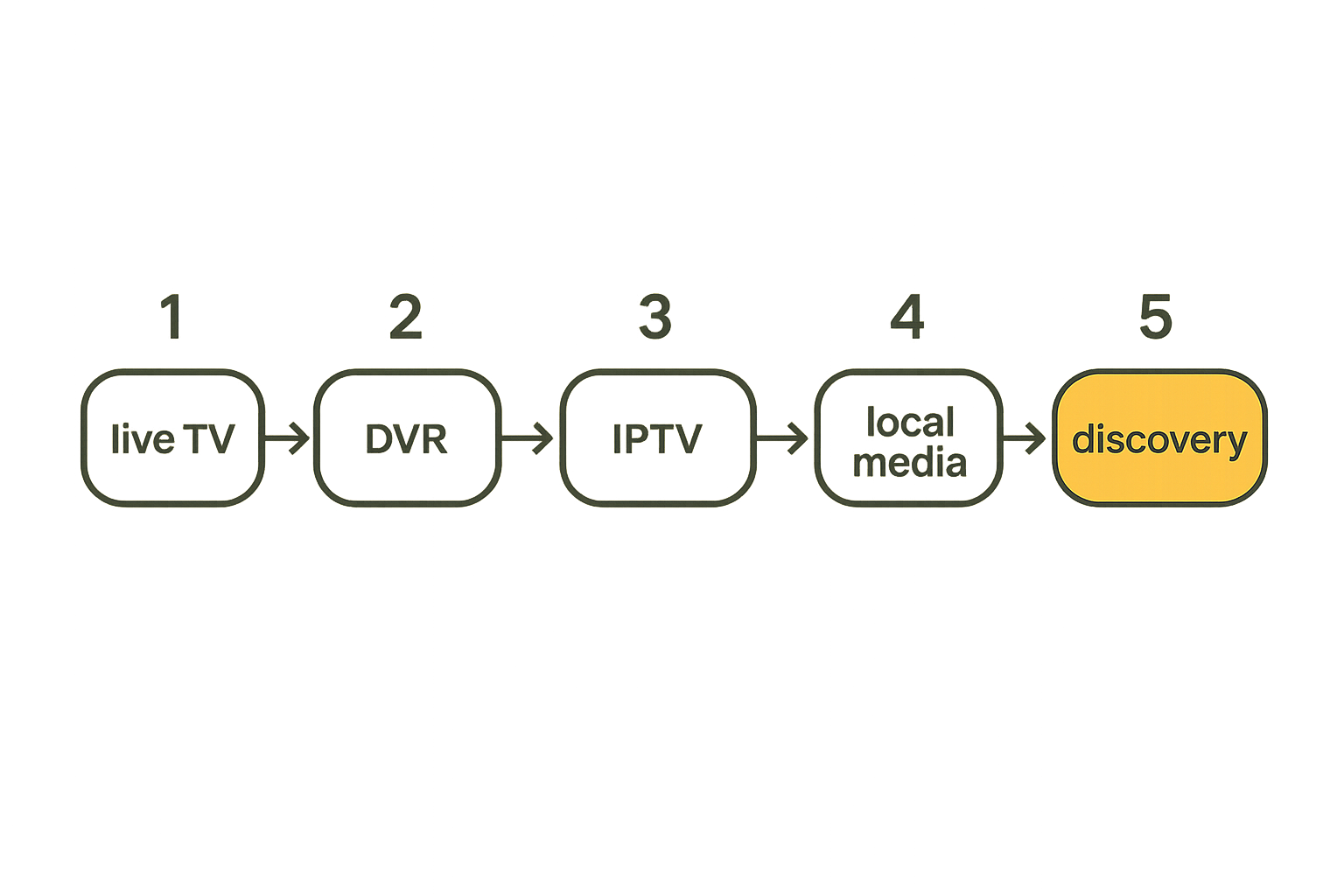
Fubo streaming should be responsible for live TV and cloud DVR. It should not be expected to manage your entire media life.
A clean home setup usually separates media into zones:
| Zone | Primary job | Good tools | Main risk |
|---|---|---|---|
| Live TV | Sports, news, scheduled channels | Fubo, antenna, licensed IPTV | Blackouts and rights gaps |
| On-demand | Shows and movies | Subscription apps | Subscription sprawl |
| Local library | Owned or lawful files | Plex, Jellyfin, media server | Metadata and storage upkeep |
| Legal torrents | Public domain, open media, creator releases | Torrent client, media index | Source trust and malware |
| Discovery | Search, watchlists, guides | Aggregators, RSS, calendars | Confusing availability with rights |
This separation keeps troubleshooting sane. If Fubo buffers during a live game, you debug network, app, and provider path. If a local movie file has bad subtitles, you debug your media server. If an IPTV playlist fails, you debug that playlist and source. You do not collapse every problem into one messy bucket.
Decide what runs on each screen
Every screen should have a job. That sounds excessive until you troubleshoot a house with five devices, three remotes, and no naming convention.
A simple inventory helps:
living_room_tv:
  primary: fubo live sports
  device: apple_tv_or_roku
  backup: antenna_or_secondary_app
bedroom_tv:
  primary: on_demand
  device: built_in_smart_tv
  backup: cast_from_phone
kitchen_display:
  primary: news_and_scores
  device: small_streaming_stick
  backup: tablet
media_server:
  primary: owned_library
  device: local_nas_or_desktop
  backup: external_drive
This does not need to be fancy. The point is ownership. If the living room is the sports screen, optimize it first. Use the best device there. Put it on the strongest Wi-Fi or Ethernet. Keep the app updated. Make sure the account is signed in before game day.
Keep legal torrents and IPTV in their lane
Torrent users and IPTV viewers tend to understand media infrastructure better than casual streamers. They also know how quickly a messy setup becomes hard to trust.
Keep legal torrents in a lawful, source-verified lane: public domain films, open educational media, Linux ISOs, creator-distributed releases, archives that permit redistribution, and files you have rights to store. Keep IPTV in a legitimate lane: free ad-supported channels, public broadcasters, paid providers, and playlists you are authorized to access.
The mistake teams make is mixing trust zones. A paid live TV account, a random playlist, a browser download, and a local media server should not all share the same assumptions. Use separate apps, separate folders, and separate credentials where possible.
Practical rule: Fubo handles licensed live TV. Your media server handles files you are allowed to store. IPTV handles authorized streams. Do not blur those boundaries just because the remote control looks the same.
Compare Fubo with cable, IPTV, and on-demand apps
The practical comparison
The best option depends on what you are optimizing for. Price matters, but so do reliability, rights, support, account safety, and convenience.
| Option | Best fit | Strength | Weakness | Operational question |
|---|---|---|---|---|
| Fubo | Sports-heavy cord cutters | Live channels plus DVR | Can get expensive with add-ons | Does it cover your exact events? |
| Cable | Households that want one bill and local support | Familiar, broad channel access | Hardware fees and contracts | Are you paying for boxes you do not need? |
| Antenna | Local broadcast viewers | Low recurring cost | Reception varies by location | Can you receive the stations that matter? |
| Legal IPTV | Free or paid authorized streams | Flexible playlists | Quality varies by source | Who maintains the playlist? |
| On-demand apps | Shows, films, originals | Deep libraries | Weak for live sports | Are you replacing live TV or avoiding it? |
| Local media server | Owned media and lawful files | Control and persistence | Requires upkeep | Who manages storage and metadata? |
A useful way to think about it is substitution versus complement. Fubo may replace cable for live TV. It may complement on-demand services. It should not be treated as a replacement for a carefully managed local media library.
What works and what fails
What works:
- Testing during real events, not quiet afternoons.
- Keeping an antenna fallback if local broadcast matters.
- Reviewing add-ons after each sports season.
- Using a dedicated streaming device for the main TV.
- Documenting which app owns which use case.
What fails:
- Switching based on a single channel screenshot.
- Letting every family member install random overlapping apps.
- Assuming regional sports access without checking ZIP-level availability.
- Ignoring latency for live sports and betting-adjacent viewing.
- Using unauthorized IPTV bundles as if they were stable infrastructure.
Related reading from our network: AI Agents Asks and Offers is about local network coordination, but the operating model is familiar: routing, trust, ownership, and follow-up matter more than the interface.
Design the device, network, and account setup
Device inventory beats guessing
Before you judge Fubo, remove avoidable device noise. Old smart TV apps are often the weak link. Built-in TV platforms can be slower to update than dedicated streaming devices.
Inventory each screen:
- Device model and year
- Wired or Wi-Fi connection
- Typical viewer
- Main use case
- Remote-control complexity
- App update status
- Known issues
Then test Fubo on the actual device. A laptop browser does not prove the living room setup works. A phone test does not prove the game-day TV experience works.
The practical question is whether the least technical person in the home can open the app, find the event, recover from a stream error, and avoid accidentally buying add-ons.
Network rules that reduce buffering
Buffering is not always the provider's fault. It can be weak Wi-Fi, overloaded mesh nodes, poor DNS, old devices, ISP congestion, or too many simultaneous streams.
Start with boring fixes:
- Put the main TV on Ethernet if possible.
- Move the streaming device away from the back of the TV if Wi-Fi is weak.
- Reboot the router before the trial period and update firmware.
- Disable unused bandwidth-heavy downloads during live events.
- Test with one stream, then multiple streams.
- Note whether failures happen at the same time of day.
If you run torrents legally on the same network, configure bandwidth limits. A lawful torrent client can still saturate upload and hurt live streaming. The goal is not moral judgment. It is traffic management.
A basic policy might be:
live_tv_priority: high
video_calls: high
torrent_upload_limit: capped
game_downloads: scheduled_off_peak
media_server_transcoding: monitor_cpu
router_reboot: manual_only_before_events
Profiles, passwords, and privacy
Streaming accounts become household infrastructure. Treat them that way.
Use a password manager. Do not share the main email password. Enable account security options where available. Remove devices you no longer use. Be careful with travel logins on hotel TVs and borrowed devices.
Privacy also includes watch history and recommendations. A shared live TV account is not as sensitive as a private messaging app, but it still reveals habits: sports teams, news preferences, kids programming, late-night viewing, and location-related access patterns.
Related reading from our network: AI Agents GitHub Actions Security is about CI/CD automation, not streaming, but the security lesson translates: permissions, secrets, and unattended workflows become liabilities when nobody owns them.
Use DVR, alerts, and calendars like operations tooling
Treat games as scheduled jobs
This is where the operator mindset helps. A live sports event is a scheduled job with dependencies.
It has a start time, expected duration, channel, location constraints, app dependency, account dependency, network dependency, and viewer expectation. If any dependency fails, the experience fails.
Use a calendar for must-watch events. Add the expected channel and app. Set reminders early enough to fix login problems before kickoff. For major games, open the app 10 to 15 minutes early and verify the stream.
This sounds excessive until you miss the first quarter because a TV app forced an update.
Use recordings as a fallback layer
Cloud DVR is not just for convenience. It is a fallback layer.
For important events, set the recording even if you plan to watch live. If the stream fails temporarily, the recording may still be useful. If someone arrives late, the recording reduces household conflict. If the game runs long, check whether the DVR rule extends automatically or whether you need to record the next block.
Practical rule: For high-value live events, watch live and record. Redundancy is not paranoia when the event only happens once.
The limitation is rights and platform behavior. Some recordings may have restrictions. Some events may not record the way you expect. Test before the playoff game, not during it.
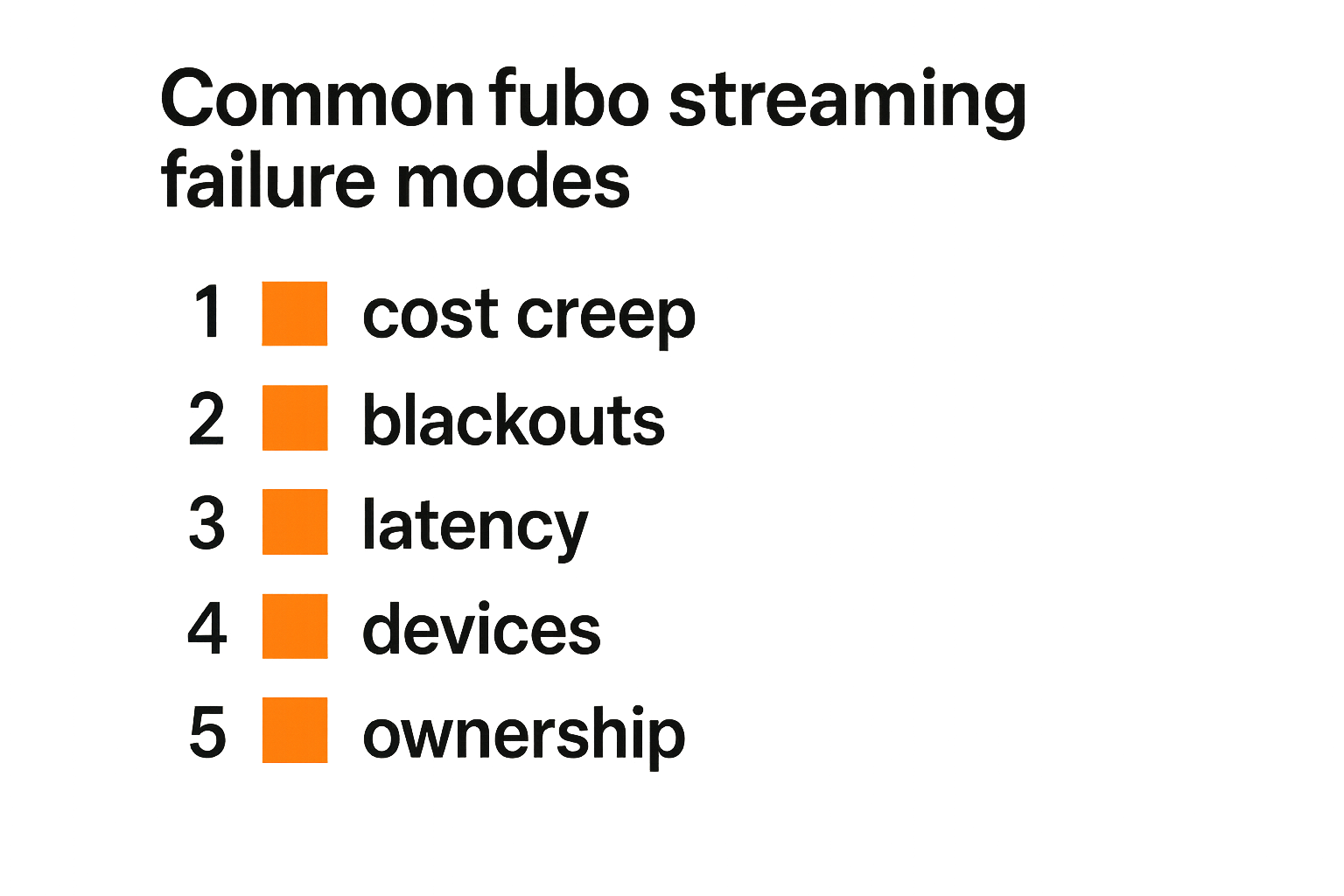
Common fubo streaming failure modes
Cost creep and package drift
The obvious failure mode is cost creep. A base plan looks reasonable, then add-ons enter the picture: regional sports, premium channels, extra features, taxes, fees, or overlapping subscriptions that never got canceled.
The fix is a monthly media bill review. Not a budgeting ritual. An operations review.
Ask:
- What did we actually watch this month?
- Which subscriptions duplicated each other?
- Which add-ons were seasonal?
- Which service exists only because one person forgot to cancel it?
- What changes next month due to sports schedules?
The mistake teams make is evaluating Fubo once and then leaving the stack untouched for a year. Live TV economics change with seasons. Your subscription should be reviewed when the season changes.
Blackouts, latency, and event surprises
Blackouts are workflow failures even when they are not technical failures. From the viewer's perspective, unavailable is unavailable.
Latency is another surprise. If neighbors watching cable react before your stream, or phone alerts spoil goals and touchdowns, the stream may feel broken even when it is working correctly. This matters for live sports, social viewing, and any betting-adjacent behavior.
You cannot eliminate every delay. You can manage expectations:
- Disable score alerts during live games.
- Avoid social feeds if you care about spoilers.
- Test latency across devices.
- Use the fastest reliable device for the main screen.
- Keep an antenna fallback for local broadcast events when practical.
Support gaps when nobody owns the setup
The most common home media support model is accidental. One person signed up. Another installed the app. Someone else changed the password. Nobody knows the billing email. The router is in a closet. The old cable remote is still on the table.
What breaks in practice is ownership.
Assign a media owner, even informally. That person keeps the subscription list, device list, account recovery info, and cancellation dates. If that sounds too corporate for a household, remember that streaming stacks now behave like small IT systems.
The owner does not need to control what everyone watches. They just need to keep the system recoverable.
A practical switching workflow for cord cutters
The 14-day evaluation sequence
Do not switch by opinion. Switch by test.
Use a short evaluation sequence:
- Write the must-have list. Include teams, channels, local stations, devices, and household requirements.
- Check ZIP-level availability. Validate locals, regional sports networks, and any add-ons.
- Install on every real device. Do not judge from only a browser or phone.
- Test during live events. Include at least one sports event, one news session, and one DVR recording.
- Measure household friction. Can everyone find what they need without help?
- Check network behavior. Test with other normal traffic running, including legal downloads or media server activity.
- Review the bill. Include add-ons and overlapping services.
- Decide what gets canceled. Cancel only after the replacement path is proven.
- Document the final stack. Write down apps, accounts, devices, and fallback options.
This is not bureaucracy. It is how you avoid replacing one annoying cable bill with five smaller annoying problems.
The decision log you should keep
A small decision log prevents repeat debates. Put it in a note app.
Include:
- Subscription name
- Monthly cost
- Billing date
- Primary use case
- Must-have channels or events
- Devices tested
- Known gaps
- Cancellation link or instructions
- Review date
A useful format:
service: fubo
role: live_tv_and_sports
must_have: local_games_news_soccer
main_device: living_room_streamer
fallback: antenna_for_locals
review_after: end_of_season
known_risk: rsn_availability_and_addons
This log is especially useful for households that mix streaming subscriptions, legal IPTV, local files, and lawful torrent-sourced media. It keeps each tool accountable to a job.
Where bittorrented.com fits into a legal streaming stack
Discovery without mixing trust zones
bittorrented.com is useful for readers who think in media workflows, not just app icons. The goal is not to pretend torrents, IPTV, and paid streaming are the same thing. They are different trust zones with different legal, technical, and privacy implications.
Use Fubo for licensed live TV when it fits your sports and channel requirements. Use on-demand apps for libraries they legally provide. Use IPTV playlists only when you are authorized to access those streams. Use torrents for lawful files such as public domain works, open media, creator releases, and other content you have rights to download or share.
The practical value is organization. Discovery, playback, storage, and live access should be separated enough that a problem in one zone does not contaminate the others.
Adjacent privacy and automation lessons
Privacy-aware media setups are not about hiding bad behavior. They are about reducing unnecessary exposure, keeping accounts secure, avoiding shady providers, and knowing what data each tool leaks.
That matters for fubo streaming too. The account has billing data, location behavior, device history, watch patterns, and household access. Treat it with the same basic care you would apply to email, cloud storage, or a home server login.
The same principle applies to alerts and automation. A bot that tells your family when a game starts is useful. A bot that posts private viewing habits into a shared channel without consent is sloppy. If you are building notification flows around media, our post on encrypted messaging streaming privacy architecture is a good adjacent model for keeping alerts useful without overexposing the household.
Try bittorrented.com
Use Try bittorrented.com for practical, up-to-date guidance on streaming services, torrents, IPTV, and home media tools. Build your fubo streaming setup like a workflow, not a guess.