Plug tech sounds like a gadget problem. Buy the right streaming stick, plug in an adapter, add a faster router, maybe install one more app, and the home media setup should behave.
Then Friday night happens. The IPTV playlist loads but half the channels have wrong guide data. A legal torrent finishes downloading but the TV app cannot see it. The VPN kills throughput. The HDMI-CEC remote turns on the wrong device. Someone reboots the router and the whole media stack forgets its state.
Teams think the problem is plug tech hardware. The real problem is plug tech architecture.
That changes the conversation. The practical question is not which box has the best specs in 2026. It is how your devices, apps, playlists, storage, network, privacy tools, and household users behave as one workflow. If you treat each part as a standalone purchase, you get a drawer full of adapters and a support queue at home.
Table of contents
- Plug tech is a workflow, not a gadget list
- Build the media stack in layers
- IPTV needs state, not just playlists
- Torrents need policy, storage, and isolation
- Home networking is part of plug tech
- Remote control, CEC, and power automation
- Observability for media setups
- Common failure modes
- Implementation workflow for 2026
- Where bittorrented.com fits
Plug tech is a workflow, not a gadget list
The mistake teams make is treating plug tech as a shopping category. A streaming dongle, Android TV box, USB Ethernet adapter, HDMI switch, smart plug, VPN router, tuner, NAS, or mini PC can all be useful. None of them solve the workflow alone.
A useful way to think about it is this: every plug in your media setup creates a boundary. Power, network, HDMI, storage, app login, playlist source, remote control, subtitle source, and privacy layer are all boundaries. Boundaries are where things break.
The device is only one layer
A new box can improve codec support, app compatibility, and responsiveness. It can also expose weaker parts of the stack. A 4K-capable player does not help if your Wi-Fi backhaul is unstable. A nice IPTV app does not help if playlist entries change names every week. A NAS does not help if your playback device cannot read the folder structure or transcode format.
Good plug tech planning starts with the job to be done:
- Live TV from a legitimate IPTV playlist
- Local playback from owned or public-domain media
- Streaming apps for paid services
- Legal torrent workflows for Linux ISOs, public media, open archives, and other authorized files
- Shared household control without constant troubleshooting
If the device does not improve one of those jobs, it is probably another support surface.
Legal and safe by design
Cord cutters and media hobbyists often mix many sources: subscription apps, free ad-supported TV, IPTV playlists, local files, OTA tuners, and torrents. The safe architecture does not blur those sources. It labels them, routes them properly, and keeps risky experiments isolated.
Practical rule: Build your plug tech stack so a guest can tell the difference between paid streaming, free legal IPTV, local media, and torrent-based downloads without asking you.
That rule sounds boring until support gets real. Clear source boundaries reduce accidental misuse, make privacy choices more deliberate, and make troubleshooting faster.
For a deeper companion view on the same theme, the earlier guide to plug tech for cord cutters is useful context. This article goes more into the operating model: state, routing, validation, and failure modes.
Build the media stack in layers
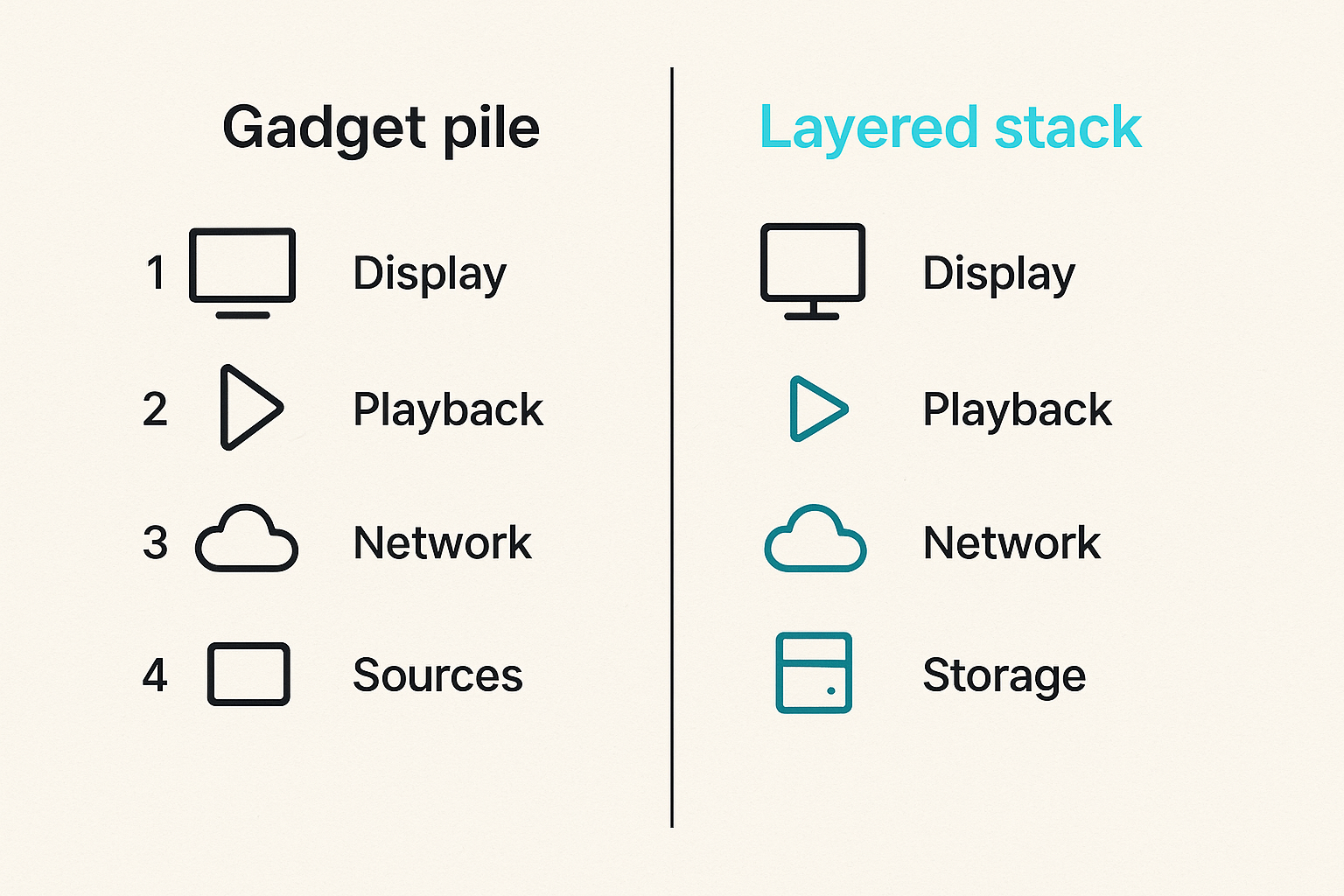
Most home media problems become easier once you stop drawing the setup as a pile of boxes and start drawing it as layers. Each layer has a purpose, a failure mode, and an owner.
Layer comparison
| Layer | Typical plug tech | What it controls | What breaks in practice |
|---|---|---|---|
| Display | TV, projector, monitor | Picture, HDMI inputs, HDR | Wrong input, bad EDID, CEC loops |
| Playback | Streaming stick, TV box, console, mini PC | Apps, codecs, remote UX | App crashes, codec gaps, weak storage |
| Network | Router, mesh, Ethernet, MoCA, powerline | Throughput, latency, DNS, VPN | Buffering, DNS leaks, unstable roaming |
| Sources | IPTV, streaming apps, local library, authorized torrents | Content availability | Dead links, mismatched metadata, license limits |
| Storage | NAS, USB SSD, media server | File persistence and indexing | Permissions, naming, failed scans |
| Control | Remotes, HDMI-CEC, mobile apps, smart plugs | Human interaction and power state | Duplicate remotes, wrong device wakes |
| Policy | Profiles, content rules, privacy settings | Safety, access, logs | Everyone becomes admin |
This table is not theory. It is how you decide where to spend money. If buffering is caused by Wi-Fi roaming, buying a faster player is noise. If the app cannot decode AV1 or HEVC, changing DNS will not help.
Ownership map
Even in a household, ownership matters. Someone owns playlist updates. Someone owns router settings. Someone owns storage cleanup. Someone owns subscriptions. If nobody owns a layer, the failure becomes a mystery.
For shared homes, write a simple ownership map:
- Network admin: router, DNS, VPN rules, Wi-Fi passwords
- Media admin: server, libraries, scans, storage quotas
- Source admin: IPTV playlist sources, streaming app logins, guide data
- User admin: profiles, parental controls, remote instructions
Related reading from our network: teams building community platforms face a similar ownership problem around trust and routing, which is covered in this guide to Mighty Networks alternatives for local communities. Different niche, same operating lesson: coordination breaks when ownership is implicit.
IPTV needs state, not just playlists
IPTV looks simple because an M3U URL feels like a file. In production, IPTV is stateful. Channel names change. Logos disappear. Electronic program guide data drifts. Providers rotate endpoints. Apps cache stale entries. Users favorite channels that later get renamed.
The practical question is not whether an IPTV app can load a playlist. It is whether your stack can keep playlist, EPG, favorites, categories, and user expectations aligned over time.
Playlist hygiene
A clean playlist workflow has three rules.
- Keep the original source untouched.
- Normalize names, groups, and logos in a working copy.
- Reload the player only after validation.
This matters because many IPTV apps are poor at explaining what changed. If a channel disappears, the user sees failure. The operator needs to know whether the source removed it, the playlist parser broke it, the guide failed, or the app cached old state.
If live channel viewing is the main use case, start with the player and playlist experience rather than the box. The live TV playlist interface is a good example of why channel browsing, source clarity, and fast lookup matter as much as device specs.
Guide data and channel identity
EPG matching is where casual IPTV setups get messy. The visible channel name is not always the stable identity. You may need a separate ID, logo mapping, country tag, language tag, and group tag.
Practical rule: Treat IPTV channel identity like a database key, not like display text.
Display text is for people. Stable identity is for automation. If your setup depends on exact channel names, one provider-side rename can break favorites, guide matching, and recordings.
A lightweight naming pattern helps:
source: where the entry came fromchannel_id: stable internal namedisplay_name: what users seegroup: news, sports, kids, movies, localepg_id: guide match if availablequality: SD, HD, FHD, 4K if known
You do not need enterprise tooling. A spreadsheet or small script can be enough. The point is to stop letting the player be the only system of record.
Torrents need policy, storage, and isolation
Torrent workflows are not just about download speed. For responsible cord cutters, torrenting should be legal, source-aware, and isolated from casual playback. Use torrents for authorized files, public-domain media, open-source software, creator-approved distribution, and archives you have the right to access.
What breaks in practice is mixing discovery, download, storage, indexing, and playback into one messy folder. Then nobody knows what is complete, what is legal to keep, what has been scanned, what is still seeding, or what can be deleted.
Separate discovery from playback
A sane workflow uses zones:
- Inbox: new torrent files or magnet references waiting for review
- Active: downloads currently running
- Complete: verified downloads
- Library: curated files visible to the media player
- Archive: long-term storage or cold backup
- Quarantine: files that failed checks or need manual review
The media player should not index Active or Quarantine. Users should not browse the download client as if it were the library. That separation prevents half-downloaded files, bad names, duplicate folders, and questionable items from becoming household content.
Keep legal boundaries explicit
The stack should make the legal source obvious. Add notes, folders, or tags for public-domain, open-license, owned-rip, creator-distributed, and software categories. If you cannot explain why a file belongs in the library, it should not be in the shared library.
Practical rule: Do not automate a torrent into the family media library unless you can also automate or document why it is authorized.
This is not just ethics. It is operations. Explicit policy makes deletion decisions easier, reduces accidental sharing, and keeps privacy controls focused on legitimate use rather than confusion.
Home networking is part of plug tech
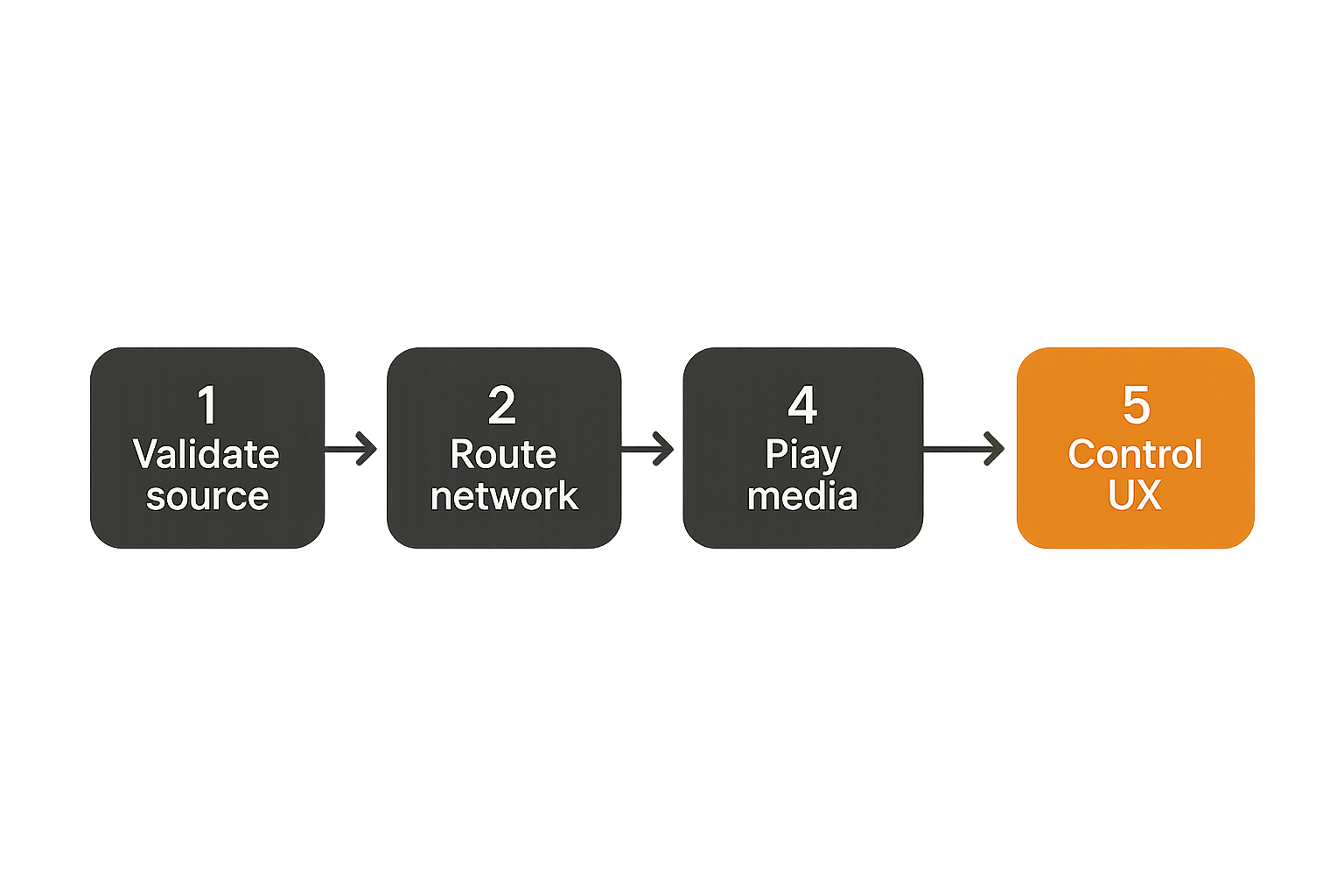
A large portion of plug tech troubleshooting is really network troubleshooting with a nicer remote. Streaming is sensitive to packet loss, DNS failures, poor roaming, buffer underruns, and overloaded routers.
The mistake teams make is measuring internet speed once and assuming the media stack is fine. Local performance matters too. A media server streaming a high-bitrate file to a TV over weak Wi-Fi can fail even when your internet speed test looks excellent.
Wired where it matters
Use Ethernet where the media path is predictable:
- Main TV or theater device
- NAS or media server
- IPTV recorder or tuner
- Desktop used for library management
- Router-to-mesh backhaul when possible
If direct Ethernet is not practical, MoCA over coax is often better than unstable Wi-Fi for fixed displays. Powerline can work in some homes, but it is highly dependent on wiring. Treat it as a test, not a guarantee.
The priority is not wiring every device. The priority is wiring the devices that carry heavy or time-sensitive traffic.
Wi-Fi rules for shared homes
Wi-Fi is still fine for tablets, phones, bedrooms, and casual streaming. It just needs rules.
- Separate IoT devices from primary media devices if your router supports VLANs or guest networks.
- Keep 2.4 GHz for range and simple devices; prefer 5 GHz or 6 GHz for high-throughput playback.
- Avoid hiding SSIDs as a security strategy; use strong passwords and modern encryption instead.
- Place mesh nodes for signal quality, not aesthetics.
- Do not let every device use a VPN path by default unless you understand the throughput cost.
Related reading from our network: the handoff and permissions issues in remote collaboration resemble media-control problems, and this piece on Vizio remote control lessons for remote teams is a useful adjacent comparison.
Remote control, CEC, and power automation
Plug tech fails loudly when the remote experience is bad. The household does not care that the network is elegant if turning on the TV requires three remotes, two apps, and a ritual.
Control is part of the architecture. HDMI-CEC, infrared remotes, Bluetooth remotes, mobile apps, voice assistants, smart plugs, and receiver input switching all create state. When that state is ambiguous, users blame the whole setup.
Design for handoff
The best test is simple: can a non-admin start live TV, a streaming app, and local media without calling you?
Build a handoff sheet or home screen layout:
- Button 1: live TV app
- Button 2: paid streaming apps
- Button 3: local library
- Button 4: music or radio
- Button 5: help or reset instructions
Avoid burying primary use cases behind technical labels. Nobody wants to choose between server, client, playlist, transcode, and HDMI 2. They want sports, movies, news, music, and local files.
What smart plugs can and cannot fix
Smart plugs are useful for power cycling frozen devices, scheduling energy use, and resetting flaky adapters. They do not fix weak Wi-Fi, bad playlists, overheated boxes, or underpowered USB hubs.
A good smart plug setup includes:
- Labels that match the real device
- Manual override access
- Safe default power state after outage
- No smart plug on equipment that must shut down cleanly unless the device can tolerate it
Do not put a NAS, active hard drive, or database-backed media server behind a casual smart plug reset. That turns a playback problem into possible data loss.
Observability for media setups
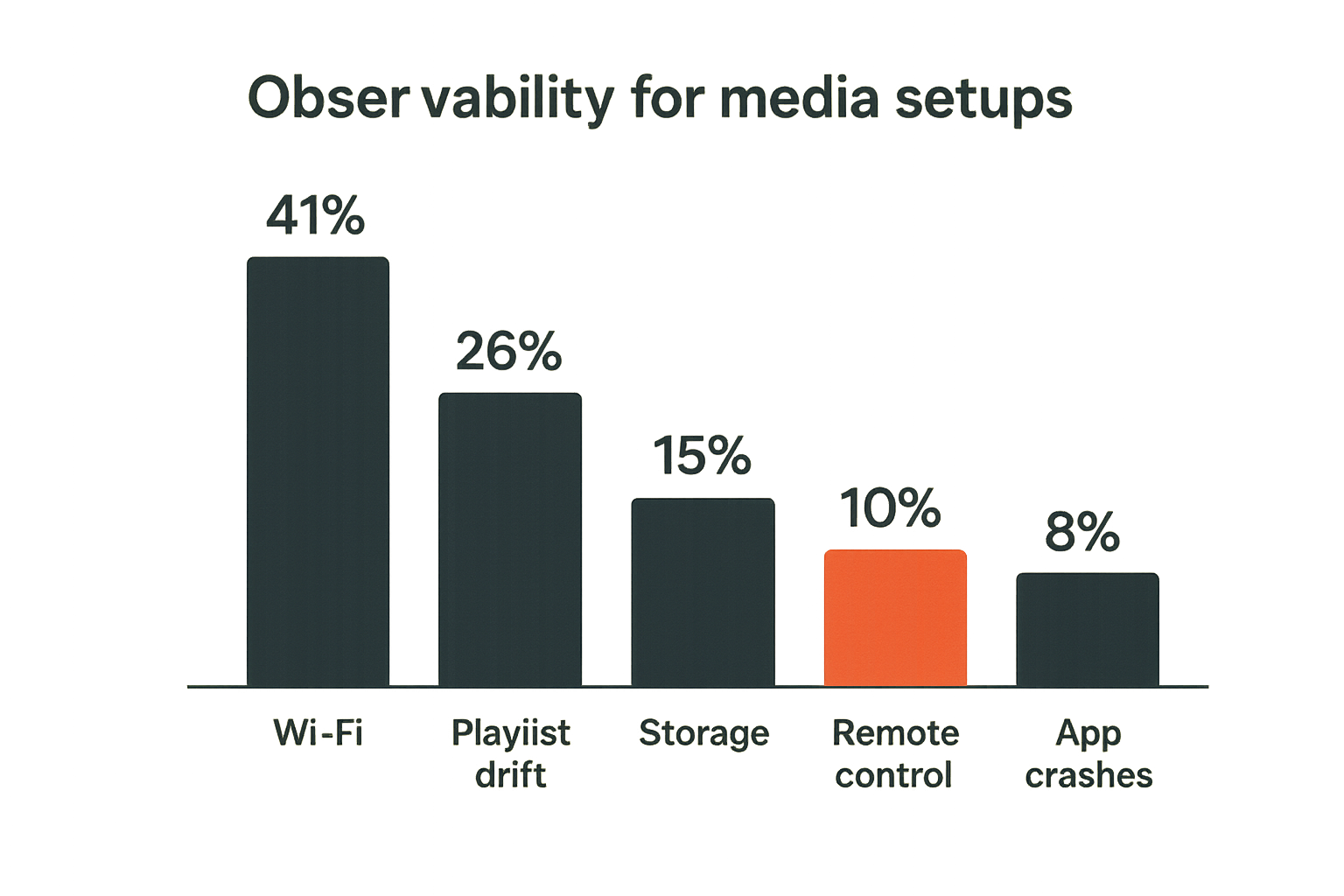
Observability sounds excessive for a living room. It is not. You do not need a full monitoring platform, but you do need enough signals to stop guessing.
When someone says the stream is broken, that could mean many things: app crash, authentication issue, DNS failure, playlist expiry, codec mismatch, overloaded Wi-Fi, transcoding bottleneck, dead source, or display input problem. Without signals, every incident starts from zero.
Metrics worth tracking
Useful media metrics are basic:
- Buffering frequency by device
- Wi-Fi signal quality near fixed screens
- Server CPU during playback
- Storage free space
- Failed library scans
- IPTV playlist load errors
- VPN throughput before and after routing changes
- Device uptime for boxes that freeze
You can track these manually in a note, with router dashboards, media server logs, or lightweight scripts. The point is trend awareness. If one box freezes every six days, replace or schedule maintenance. If all IPTV failures happen after playlist refresh, inspect normalization. If only 4K local files fail, look at codec and network path.
Logs that actually help
Most logs are noisy. Keep the ones that answer operational questions:
- What changed?
- Which device failed?
- Which source failed?
- Was the file local or remote?
- Was the VPN path active?
- Did other apps work at the same time?
- Did rebooting fix it temporarily?
A simple incident note can be enough:
2026-07-13, living room, IPTV app, sports group, buffering every 30 seconds, Wi-Fi signal fair, other streaming apps OK, playlist refreshed earlier today.
That one line narrows the problem faster than ten minutes of blaming the box.
Common failure modes
Most broken plug tech stacks fail in familiar ways. They are not mysterious. They are usually the result of buying components faster than the workflow can absorb them.
What works
What works is boring and repeatable:
- One primary playback device per TV
- Wired network for fixed high-use endpoints
- Clear source categories
- Separate torrent download and media library zones
- Stable IPTV naming and guide mapping
- Minimal remote paths
- Documented reset procedure
- Regular cleanup of storage and unused apps
A stable setup usually has fewer moving parts than the hobbyist originally wanted. That is not a downgrade. It is maturity.
What fails
What fails is usually one of these patterns:
| Failure pattern | Symptom | Root cause | Fix |
|---|---|---|---|
| App pileup | Every box has every app | No device role | Assign one primary device per room |
| Playlist drift | Favorites break | Channel names used as IDs | Normalize and map EPG IDs |
| VPN everywhere | Streams buffer | All traffic forced through slow path | Route selectively |
| Shared download folder | Half files appear in library | No staging zone | Separate active, complete, and library |
| Remote chaos | Users cannot start playback | CEC and inputs conflict | Simplify control path |
| Storage surprise | Library scans fail | Disk full or permissions changed | Add quotas and alerts |
Related reading from our network: checkout workflows have their own version of state and validation failures, and this guide to DoorDash promo codes for existing users is a surprisingly relevant reminder that the visible UI is rarely the whole system.
Implementation workflow for 2026
If you are rebuilding a home media setup in 2026, do not start by replacing everything. Start by defining the target workflow and then change one layer at a time.
Step sequence
- Inventory the current stack. List TVs, boxes, apps, playlists, storage devices, remotes, routers, subscriptions, and torrent tools.
- Define legal source categories. Separate paid streaming, free IPTV, local owned media, public-domain media, creator-approved downloads, and software torrents.
- Pick primary devices. Choose one main playback path per display and remove duplicate apps where possible.
- Stabilize the network. Wire the main TV and server if practical. Test Wi-Fi where wiring is not possible.
- Clean IPTV state. Normalize playlist names, groups, logos, and EPG mappings before loading them into the player.
- Separate torrent zones. Keep active downloads away from the shared media library until review and completion.
- Configure privacy deliberately. Use VPNs and DNS settings where they fit, but measure performance and avoid blind routing.
- Simplify control. Reduce remote paths, label inputs, and document reset steps.
- Add lightweight monitoring. Track failures, storage, uptime, and playlist refreshes.
- Validate with real users. Ask someone else in the home to start live TV, play a local file, and recover from a frozen app.
This sequence keeps you from solving symptoms out of order. Network before app tuning. Source policy before automation. Control before adding more devices.
Validation checklist
Before you call the setup done, run this checklist:
- Can live TV launch from the main screen in under a few clicks?
- Can a local file play without exposing active downloads?
- Can users tell which sources are subscriptions, IPTV, and local media?
- Does the main TV have a stable network path?
- Are torrent downloads limited to authorized use cases and reviewed before library import?
- Can the system recover from router reboot, power outage, and app crash?
- Are admin credentials kept away from casual users?
- Is there a written reset procedure?
Practical rule: A plug tech setup is not finished when it works for you. It is finished when it works for the least technical regular user without unsafe shortcuts.
Where bittorrented.com fits
Plug tech is becoming less about a single device and more about how people discover, organize, and safely access media sources across streaming, IPTV, torrents, and local playback. The UI is not the whole system. State, trust, routing, source clarity, and support are the real work.
The fit
bittorrented.com is built for readers who want practical, up-to-date guidance on streaming services, torrents, IPTV, and home media tools. The useful product fit is architectural: helping cord cutters reason about sources, live TV, torrent discovery, and media workflows without pretending that every plug-and-play claim survives real use.
The best plug tech stack in 2026 is not the most complicated one. It is the one where legal sources are clear, playback is reliable, privacy choices are deliberate, and troubleshooting has a path.
That is the plug tech standard worth building toward.
Try bittorrented.com
For practical, up-to-date guidance on streaming services, torrents, IPTV, and home media tools, Try bittorrented.com.