Plug tech looks simple until the stream freezes during a live match, the torrent finishes but never appears in your library, or the smart plug reboots the wrong box while someone is watching TV.
Most cord cutters start with the obvious question: which device should I buy? A streaming stick, Android TV box, mini PC, NAS, mesh router, USB tuner, smart plug, or HDMI adapter. Teams think the problem is hardware choice. The real problem is workflow ownership.
In 2026, plug tech is not a gadget category. It is the physical edge of your media system: the devices, power, network paths, storage handoffs, privacy controls, and recovery habits that turn IPTV, legal torrent use, and home media into something that works every night.
The practical question is not whether a device is plug-and-play. The practical question is what happens after you plug it in.
Table of contents
- Plug Tech Is a Media Workflow Problem, Not a Gadget Category
- Map the Plug Tech Stack Before You Buy Anything
- Legal, Safe, and Privacy-Aware Plug Tech
- Choosing Hardware for IPTV, Torrents, and Home Media
- Network Design Is Where Plug Tech Usually Breaks
- The Plug Tech Workflow From Source to Screen
- What Works and What Fails in Plug Tech Setups
- Automation, Monitoring, and Recovery
- Troubleshooting Common Failure Modes
- Product Fit: Where bittorrented.com Sits in the Plug Tech Workflow
- Closing Checklist for Plug Tech in 2026
Plug Tech Is a Media Workflow Problem, Not a Gadget Category
The real job of the plug
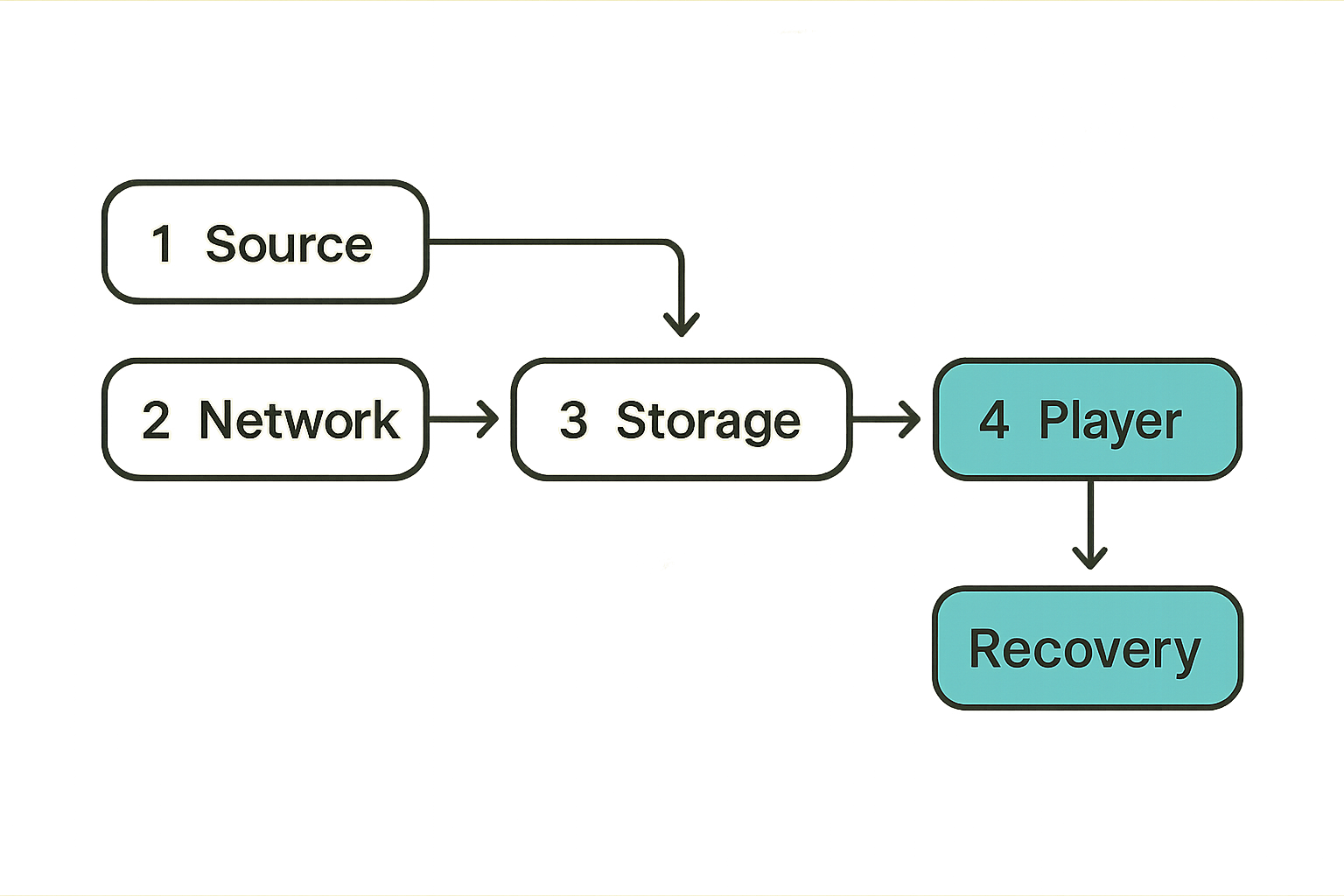
A useful way to think about it is this: every plug in your media setup creates a dependency. An HDMI plug depends on display negotiation. A power plug depends on uptime. An Ethernet plug depends on routing. A USB plug depends on filesystem behavior. A streaming box depends on codecs, DNS, remote controls, app updates, and sometimes a fragile IPTV playlist.
The mistake teams make is treating each device as isolated. They buy a new stick because playback stutters. They buy a bigger drive because downloads pile up. They buy a mesh node because one room buffers. Sometimes that helps. Often it just hides the real break: no one mapped the path from source to screen.
Practical rule: do not buy plug tech until you can describe the failure you are trying to remove.
If the problem is poor Wi-Fi, a faster TV box will not fix it. If the problem is a bad playlist source, a new IPTV player will only fail with a nicer interface. If the problem is storage permissions, a smart plug reboot will just restart the same broken state.
Why 2026 cord cutting changed the stack
Cord cutting used to mean one box and a few apps. Now many homes run a mixed stack: paid streaming subscriptions, free ad-supported apps, IPTV playlists, public domain or properly licensed torrents, local media servers, network storage, VPNs, DNS filters, and automation scripts.
That changes the conversation. Plug tech is no longer just the device under the TV. It is the interaction between low-power endpoints and always-on services. Your TV stick may be the least important part of the system. The NAS, router, DNS resolver, and download workflow may decide whether the evening works.
For torrent users, the legal and operational line matters. Use torrents for content you have rights to access, distribute, or archive. Public domain media, Linux ISOs, creator-approved releases, and personal backups are very different from copyrighted material shared without permission. Good architecture does not make illegal use safer or acceptable. It makes legitimate workflows more reliable and easier to control.
Map the Plug Tech Stack Before You Buy Anything
Endpoint layer
The endpoint is what people touch: streaming sticks, TV boxes, smart TVs, tablets, game consoles, projectors, and remote controls. This layer gets blamed first because it is visible. But it is usually only the last failure point.
Ask four questions before replacing an endpoint:
- Does it support the codecs you actually play?
- Can it handle the bitrate of your local and IPTV streams?
- Is the app ecosystem stable for your use case?
- Does it receive security and firmware updates?
Cheap boxes can be fine for a guest room. They are a bad bet as the central control point for live TV, torrent playback, and a family media library. If the device cannot be updated, cannot be reset cleanly, or ships with unknown firmware, it becomes an operations liability.
Network and storage layer
The network and storage layer is where most plug tech systems become real. This includes routers, switches, mesh nodes, Ethernet adapters, USB drives, NAS units, mini PCs, and media server disks.
What breaks in practice is not raw bandwidth. It is inconsistent latency, bad roaming, weak upload paths, overloaded USB buses, sleeping disks, and devices that disappear after a firmware update.
A reliable layout usually looks boring:
- Wired Ethernet for the server, NAS, and primary TV if possible
- Wi-Fi reserved for mobile and low-demand endpoints
- Storage mounted predictably, not through random removable paths
- Static DHCP leases for important devices
- Clear names for devices and shares
Control and automation layer
The control layer includes smart plugs, wake-on-LAN, scheduled jobs, watchdog scripts, remote dashboards, DNS rules, and notification tools. This is where plug tech becomes operational.
Automation should not be the first layer you build. It should be the layer that recovers known failure modes. A smart plug that power-cycles a frozen encoder is useful. A smart plug that reboots your whole media rack every night because you never found the root cause is a warning sign.
Related reading from our network: teams managing local coordination face a similar routing problem, where the issue is not recruiting more people but designing the handoff workflow, as described in First Community: Build the Local Network Workflow Before You Recruit Everyone.
Legal, Safe, and Privacy-Aware Plug Tech
Separate access from authorization
Access means you can reach a stream, file, playlist, or swarm. Authorization means you have the right to use it. Plug tech often blurs this because the device only shows whether something plays.
Do not let playback success become your compliance model. A playlist loading does not prove the provider has rights. A torrent being available does not prove it is lawful to download. A scraper finding a title does not prove it is safe or legitimate.
Practical rule: design your media workflow so legal source decisions happen before automation, not after playback.
This means labeling sources, separating personal media from internet-sourced media, and avoiding automation that blindly pulls unknown content. It also means using reputable services when you want licensed content and keeping records for media you own or are allowed to archive.
Privacy without pretending risk disappears
Privacy-aware plug tech is not magic. VPNs, DNS filters, private trackers, encrypted DNS, and segmented networks can reduce exposure, but they do not fix illegal content use, malicious firmware, or bad operational habits.
Good privacy architecture starts with boundaries:
- Keep untrusted streaming boxes away from sensitive laptops and work devices.
- Avoid logging into personal accounts on unknown Android boxes.
- Use separate network profiles for media devices when possible.
- Patch routers and endpoints.
- Disable UPnP if you do not need it.
Related reading from our network: software teams deal with the same boundary issue when protecting secrets and scanners in pipelines; the architecture lessons in Security License Architecture for CI/CD map surprisingly well to home media keys, tokens, and device trust.
Choosing Hardware for IPTV, Torrents, and Home Media
Streaming sticks and TV boxes
Streaming sticks are good endpoints. They are not good servers. Use them to decode and display media, not to manage libraries, downloads, storage, and routing.
Look for:
- Current OS support
- Hardware decode for common formats
- Stable Wi-Fi or Ethernet adapter support
- Enough memory for your player apps
- A remote that normal people in the house will tolerate
For IPTV, the app matters almost as much as the device. A stable player with EPG support, catch-up handling, sensible buffering, and playlist refresh controls will beat a faster box running a poor app.
Mini PCs and NAS devices
A mini PC or NAS is the better home for services that need to stay awake: media servers, download clients for legal torrents, indexers, metadata tools, DVR workflows, and backup jobs.
Mini PCs are flexible. NAS devices are predictable. The right choice depends on whether you want a small server you control deeply or an appliance that manages disks cleanly.
Do not underestimate file permissions. Many home media failures are not dramatic. They are boring: the downloader writes files as one user, the media server scans as another, and the TV app sees an empty folder.
Power, heat, and reliability
Plug tech lives in hot cabinets, behind TVs, inside dusty shelves, and under routers with poor airflow. Heat creates weird failures: Wi-Fi drops, HDMI negotiation errors, USB disk disconnects, and random restarts.
The operator move is simple: stop hiding critical devices where they cannot breathe. Use quality power adapters. Label cables. Avoid overloaded power strips. If a device controls live TV or storage, treat it like infrastructure, not decoration.
| Device type | Best role | Weak spot | Operator advice |
|---|---|---|---|
| Streaming stick | Playback endpoint | Heat and limited storage | Use for viewing, not services |
| Android TV box | Flexible endpoint | Firmware trust varies | Buy from vendors with updates |
| Mini PC | Media server and automation | Requires maintenance | Use wired network and backups |
| NAS | Storage and library hosting | Cost and app limits | Keep disks monitored |
| Smart plug | Recovery and scheduling | Can mask root causes | Use only for known failures |
Network Design Is Where Plug Tech Usually Breaks
Wi-Fi is convenient until it is the bottleneck
Wi-Fi can carry plenty of traffic in ideal conditions. Homes are not ideal conditions. Walls, neighbors, microwaves, old clients, roaming decisions, and mesh backhaul all matter.
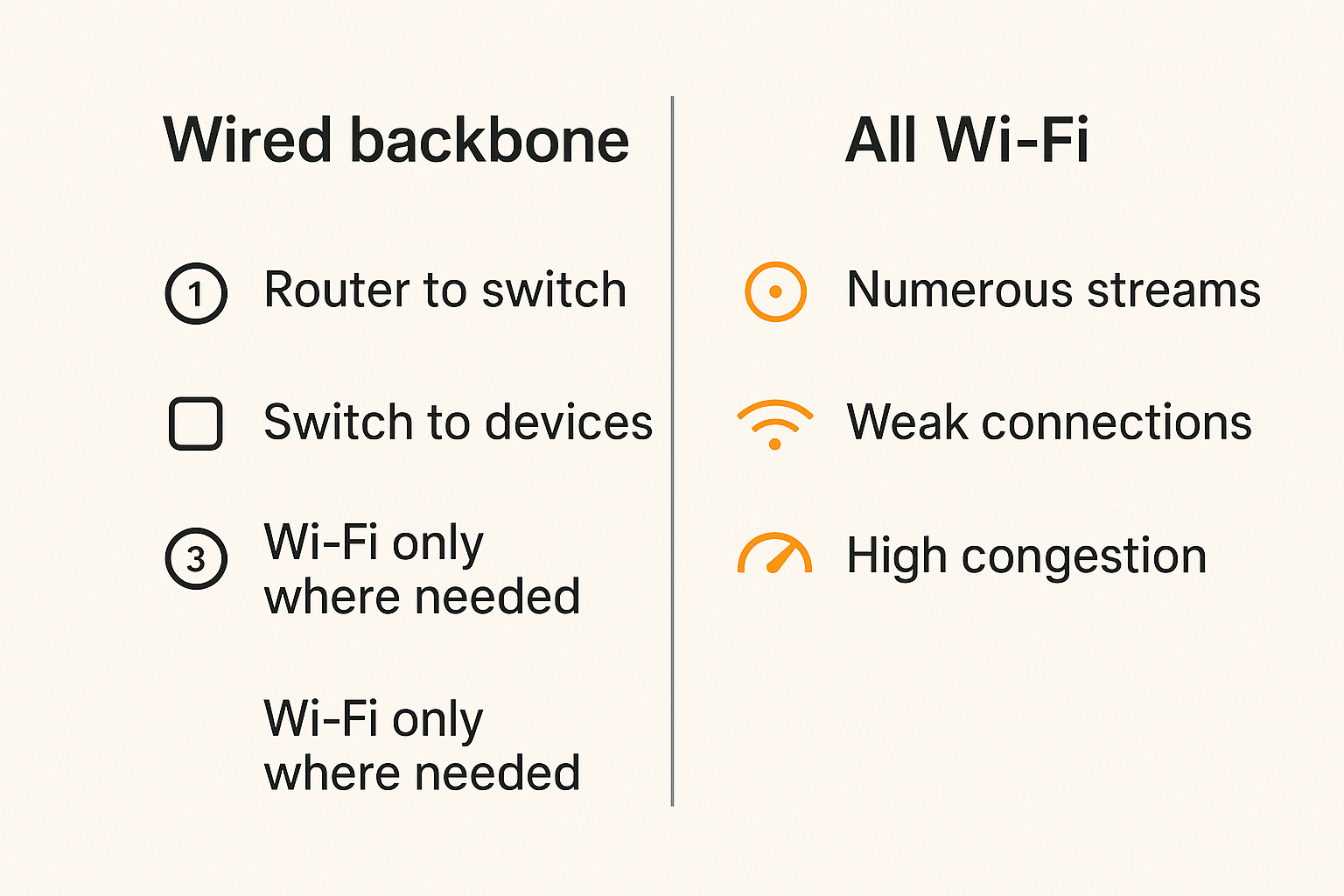
The mistake teams make is chasing the headline speed on the box. A 1 Gbps internet plan does not help if the TV endpoint sits on a weak 2.4 GHz connection behind two walls. A mesh system can improve coverage but still create unstable latency if the backhaul is wireless and congested.
For primary media paths, wire what you can:
- Router to switch
- Switch to NAS or mini PC
- Switch to main TV or media cabinet
- Wi-Fi for secondary endpoints
Practical rule: if a device stores, serves, or records media, wire it before you troubleshoot apps.
VLANs, guest networks, and DNS
You do not need enterprise networking to build a safer media setup. But you do need separation. A guest network or media VLAN can keep questionable plug tech away from laptops, phones, and work machines.
Useful segmentation patterns:
- Trusted LAN: laptops, phones, admin machines
- Media LAN: TVs, sticks, boxes, receivers
- Server LAN: NAS, mini PC, media server
- Guest LAN: visitors and temporary devices
DNS is another control point. A local resolver can block known malicious domains, reduce noisy tracking, and make device names easier to manage. Just remember that DNS filtering is not a legal shield and not a malware cure-all.
Remote access without opening the house
Remote access is where many home setups become fragile. Port forwarding a media server, IPTV panel, NAS dashboard, or torrent client to the internet is rarely worth the risk.
Use safer patterns:
- VPN into your home network using a maintained tool
- Identity-aware tunnels where appropriate
- No public admin panels
- Strong passwords and MFA where supported
- Separate accounts for viewing and administration
If remote access is only needed for occasional maintenance, keep it manual. Convenience is not free. Every always-on remote path becomes part of your attack surface.
The Plug Tech Workflow From Source to Screen
A practical implementation sequence
Good plug tech becomes easier when you build it in order. Do not start with five devices, three apps, and a pile of automations.
Use this sequence:
- Define allowed sources: subscriptions, licensed IPTV providers, public domain torrents, personal rips, creator-approved files.
- Choose the server location: NAS, mini PC, or always-on desktop.
- Wire the server and primary playback device.
- Create storage paths for downloads, completed media, temporary files, and backups.
- Install one media server or player workflow and verify playback locally.
- Add IPTV playlists or legal torrent workflows one source at a time.
- Add metadata and library scanning after file paths are stable.
- Add automation only for repeatable tasks.
- Add monitoring, alerts, and recovery actions.
- Document the setup in a short notes file.
This is slower on day one and faster for the next two years.
State, metadata, and handoff
The UI is not the whole system. The real work is state. Has the file completed? Was it scanned? Is the playlist current? Did the EPG update? Did the media server index the folder? Did the playback app cache stale data?
A torrent download workflow may have several states: queued, downloading, verifying, completed, moved, scanned, enriched, visible, watched, archived. IPTV has states too: playlist fetched, channels parsed, EPG matched, stream tested, favorites updated, playback started.
Related reading from our network: payment teams use the same thinking around state, retries, and reconciliation; the workflow breakdown in Skye Peptides Payment Infrastructure is about checkout, but the operational lesson applies to media handoffs too.
What Works and What Fails in Plug Tech Setups
What works
Reliable plug tech is usually boring. It has fewer moving parts than the enthusiast build you see in a forum screenshot.
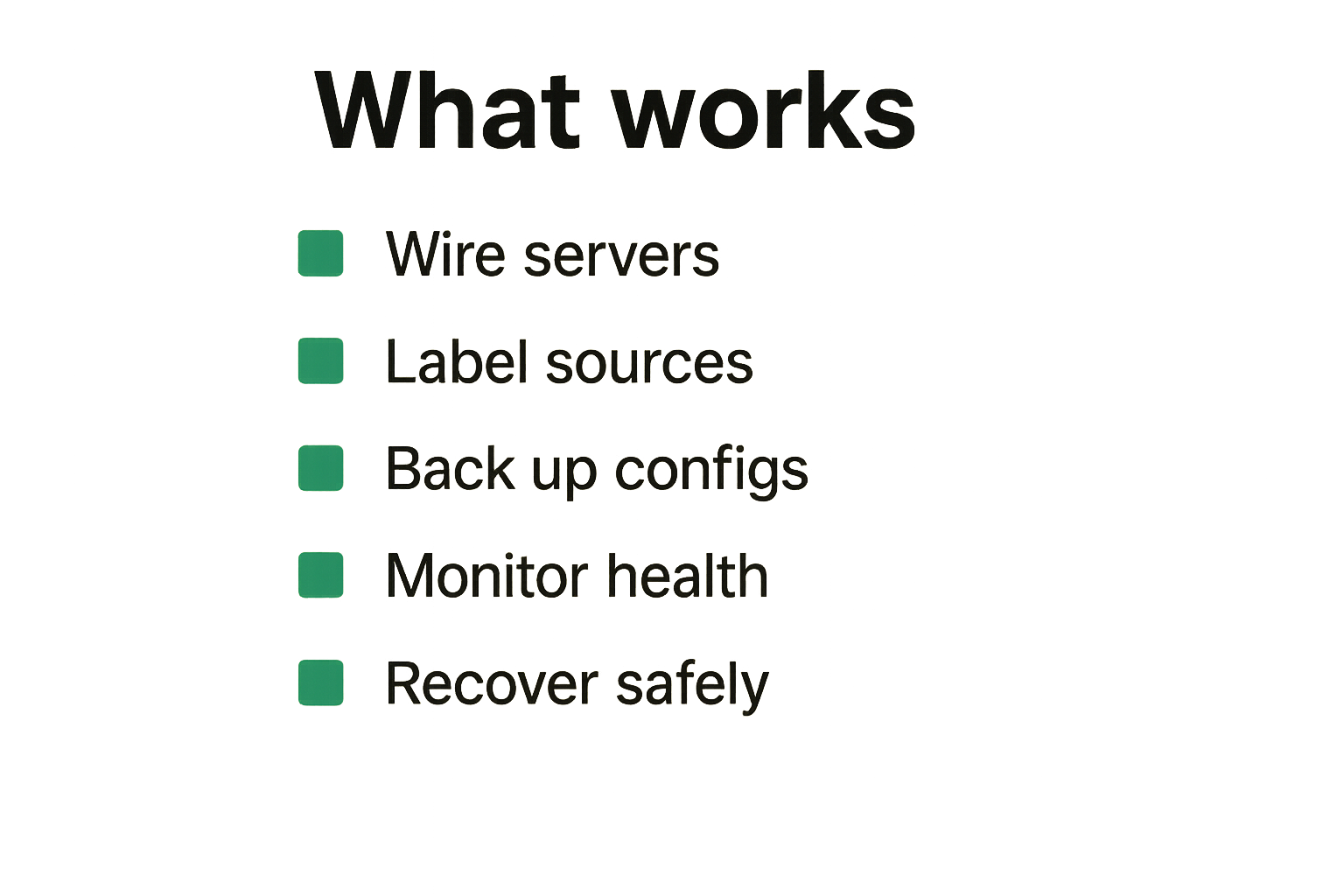
What works:
- One always-on server for stateful tasks
- Wired network for heavy media paths
- Known legal sources separated by type
- Clear storage folders and permissions
- Regular backups of configuration files
- A small number of player apps people actually use
- Monitoring for disk space, service health, and playlist refreshes
The best systems are not the most automated. They are the easiest to understand when something breaks.
What fails
What fails is gadget stacking. A new box for every issue. A new app for every format. A new automation for every annoyance. Eventually no one knows which component owns the workflow.
Common failure patterns include:
- A TV box used as a downloader, server, and player
- USB drives moved between machines without clean mounts
- IPTV playlists refreshed manually from random files
- Torrent clients writing into watched folders before completion
- VPN rules that break local discovery
- Smart plugs rebooting devices during active writes
- No backups of metadata, playlists, or server settings
The failure is not that the devices are cheap. The failure is that the architecture has no source of truth.
Comparison table
| Decision area | What works | What fails |
|---|---|---|
| Server role | NAS or mini PC owns storage and indexing | TV box tries to do everything |
| Network | Wired backbone, Wi-Fi endpoints | All devices on congested Wi-Fi |
| IPTV | Known provider, scheduled playlist refresh | Random M3U files copied manually |
| Torrents | Legal sources, completed folder handoff | Watched folders read partial files |
| Privacy | Segmented media network and patched devices | Unknown boxes on main LAN |
| Recovery | Targeted restart of known service | Whole rack power-cycled blindly |
| Documentation | Short map of devices and paths | Memory and guesswork |
Automation, Monitoring, and Recovery
Health checks beat guessing
Monitoring does not need to be complex. You need enough visibility to know whether the problem is source, network, storage, server, or endpoint.
Track these basics:
- Is the server online?
- Is disk space low?
- Is the media share mounted?
- Did the playlist refresh?
- Did the EPG update?
- Is the VPN connected where it should be?
- Are key services running?
A simple dashboard or scheduled notification beats opening five apps and guessing. If you run a mini PC, even a basic script can help:
#!/usr/bin/env bash
set -e

ping -c 1 192.168.1.1 >/dev/null || echo 'router unreachable'
df -h /media/library | awk 'NR==2 {print $5 " used on library"}'
systemctl is-active --quiet media-server || echo 'media server down'
systemctl is-active --quiet torrent-client || echo 'torrent client down'
This is not enterprise observability. It is enough to stop treating every issue as a mystery.
Smart plugs, wake tech, and scheduled jobs
Smart plugs are useful when they control non-writing devices or recover hardware that truly freezes. They are dangerous when they cut power to disks, NAS units, or systems writing metadata.
Use smart plugs for:
- Powering down idle displays
- Restarting a frozen HDMI encoder
- Scheduling non-critical accessories
- Measuring energy use
Avoid smart plugs for:
- NAS hard power cuts
- Active download machines
- Devices doing filesystem writes
- Anything with a database unless shutdown is graceful
If your setup depends on sleeping and waking devices, read the practical home media approach in wake tech for torrent, IPTV, and home media architecture. Wake-on-LAN, smart plugs, and scheduled jobs can work together, but only if one device clearly owns the wake decision.
Logs that actually help
Logs are only useful if you know where to look. Keep a small troubleshooting map:
- Router logs for connectivity and DHCP changes
- Media server logs for scanning and playback errors
- IPTV app logs for playlist and EPG failures
- Torrent client logs for completion and move errors
- System logs for disk, USB, and thermal problems
Do not keep logs forever if they contain sensitive data. Rotate them. Protect them. The goal is diagnosis, not building a permanent record of everyone in the house.
Troubleshooting Common Failure Modes
Buffering and playback drift
Buffering is a symptom, not a diagnosis. Start by identifying where the stream lives.
For IPTV, test another channel from the same provider, then a channel from another provider or source. If one provider fails, the endpoint is probably fine. If every source fails, check Wi-Fi, DNS, device heat, and app cache.
For local media, test the same file on a wired device. If wired playback works and Wi-Fi fails, stop changing codecs. Fix the network path. If both fail, inspect the file, server transcode settings, disk speed, and CPU load.
Playback drift can come from poor stream timestamps, overloaded decoding, bad HDMI sync, or app bugs. The operator move is to isolate one variable at a time.
Playlist and index problems
IPTV playlist failures usually look like missing channels, wrong logos, broken EPG, or favorites disappearing. Keep the raw playlist, parsed channel list, and player favorites conceptually separate.
Good hygiene:
- Store playlist URLs securely.
- Refresh on a schedule, not randomly.
- Keep a backup of known-good settings.
- Avoid editing generated playlist files by hand.
- Test provider changes before blaming your device.
Torrent library problems often come from index timing. The media server scans before the download is complete, caches the wrong name, or ignores the file because permissions are wrong. Use completed folders and atomic moves where possible.
Storage corruption and bad cleanup
Storage failures are rarely dramatic at first. A USB drive disconnects once. A folder appears empty. A media scan takes too long. Then a database corrupts or a library disappears.
Use these rules:
- Do not hard-power storage during writes.
- Prefer powered drives or NAS storage over random USB sticks.
- Keep media and metadata backups separate.
- Monitor disk health.
- Leave free space for temporary downloads and transcodes.
Bad cleanup is another silent failure. Automated deletion can remove files before they are scanned, archived, or backed up. Treat cleanup as a workflow step with conditions, not a cron job with a chainsaw.
Product Fit: Where bittorrented.com Sits in the Plug Tech Workflow
Discovery before device sprawl
A lot of plug tech waste starts with poor discovery. People buy more hardware because they cannot tell whether the issue is the source, the playlist, the index, or the endpoint.
bittorrented.com is useful when you want a lightweight place to explore streaming, torrent, IPTV, and home media workflows without pretending the device is the whole system. The point is not to replace your NAS, router, or player. The point is to help you reason about sources and viewing paths before you add more boxes.
Live TV and DHT workflows
For IPTV viewers, the device under the TV should not be the only place you think about channels. Playlists, EPG behavior, provider reliability, and app compatibility matter. If your main use case is channel browsing, start with a clean live workflow such as streaming live channels from IPTV playlists before you blame the hardware.
For torrent users, DHT discovery and torrent metadata can be useful for legitimate content discovery, archival workflows, and open distribution. Keep the legal boundary clear. The existence of a hash or swarm is not permission. Build your workflow around content you have rights to access.
When to use a lightweight hub
Use a lightweight hub when you need orientation, not another always-on service. If you already run a NAS, media server, and IPTV app, adding more infrastructure may be the wrong move.
A hub helps when:
- You want to compare sources before changing devices.
- You need a simple entry point for live TV or media discovery.
- You are separating browsing from storage and playback.
- You want fewer random apps on the TV endpoint.
It does not remove the need for good network design, legal source choices, secure devices, or backups. That is the honest product fit.
Closing Checklist for Plug Tech in 2026
Operator checklist
Before you buy the next plug tech device, walk through this checklist:
- What exact failure am I fixing?
- Which device owns downloads, indexing, playlists, and playback?
- Are stateful services running on stable hardware?
- Is the primary media path wired?
- Are legal sources separated from unknown sources?
- Are untrusted devices isolated from personal machines?
- Can I recover without cutting power to storage?
- Are configs, playlists, and metadata backed up?
- Can someone else in the house use it without a tutorial?
If the answer is no, the next device may add more failure modes than it removes.
Final decision rule
Plug tech is worth buying when it simplifies a known workflow. It is not worth buying when it becomes a substitute for diagnosis.
The mistake teams make is assuming plug-and-play means operate-and-forget. In home media, every device participates in power, network, storage, privacy, and support. Treat the setup like a small production system and the choices get clearer.
The practical question is simple: does this plug tech shorten the path from legal source to reliable screen, or does it just add another place to troubleshoot?
Try bittorrented.com
bittorrented.com is for readers who want practical, up-to-date guidance on streaming services, torrents, IPTV, and home media tools. Try bittorrented.com.