Plug tech sounds like a gadget category. In practice, it is the reason your living room setup works on Friday night or turns into a support ticket for everyone in the house.
Cord cutters add an IPTV app, a torrent client for legal media, a streaming stick, a NAS, a VPN, a smart TV, a router, and three remotes. Each part looks simple on its own. The stack becomes fragile when nobody owns the workflow between them.
Teams think the problem is picking the best box, app, or playlist. The real problem is designing a home media architecture where discovery, playback, storage, privacy, updates, and troubleshooting fit together.
That changes the conversation. Plug tech in 2026 is not just what you plug into HDMI. It is the operating model for a cord-cutting household: what runs where, what is trusted, what fails safely, and how you recover without rebuilding the entire setup.
Table of contents
- Plug tech is a workflow, not a pile of gadgets
- Start with the playback surface
- Build the plug tech stack in layers
- IPTV is a state problem
- Torrents belong in a controlled media workflow
- Networking decides whether plug tech feels reliable
- Automation should reduce support, not create mystery
- Failure modes: what breaks when plug tech is implemented badly
- What works: a practical 2026 implementation sequence
- Where bittorrented.com fits
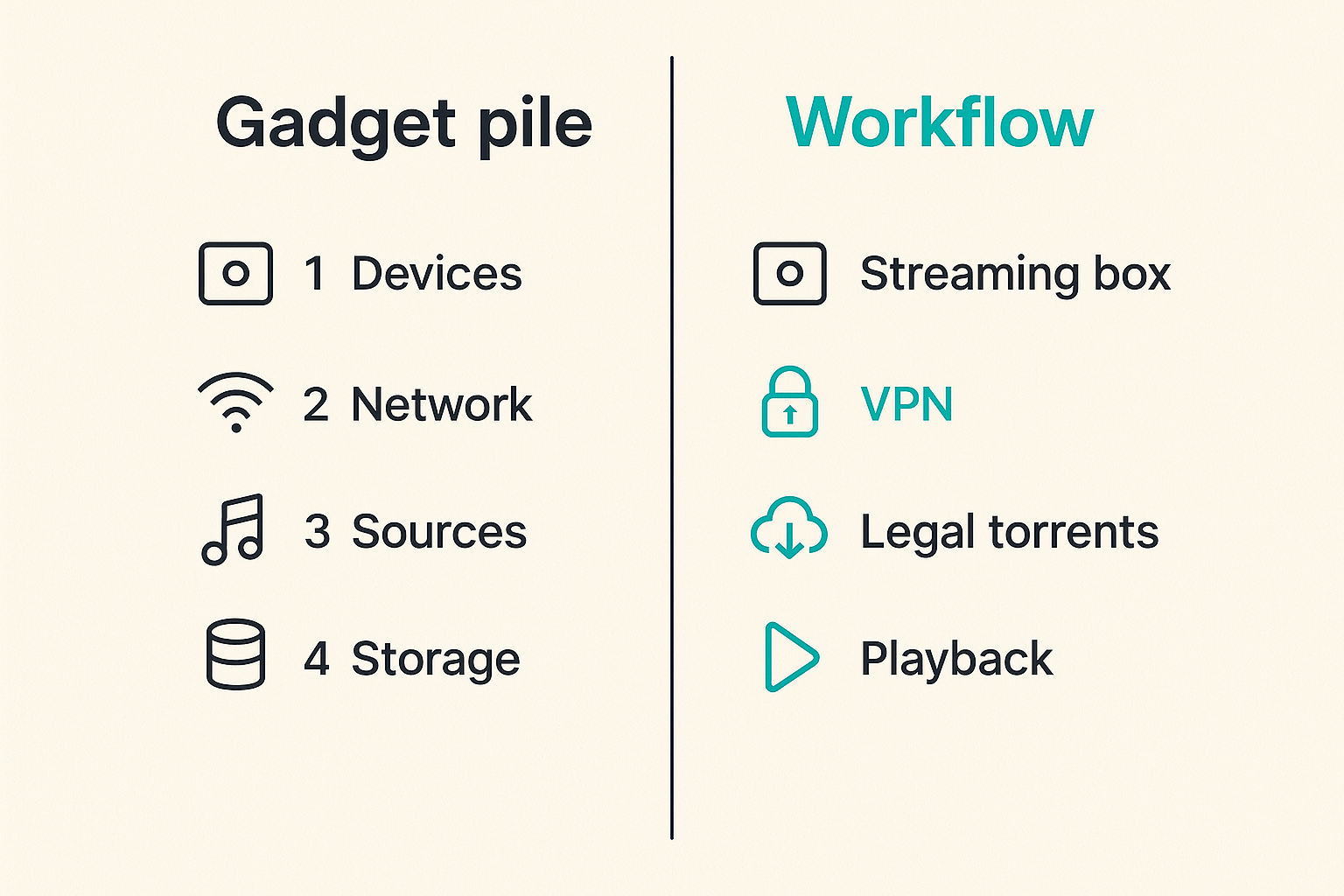
Plug tech is a workflow, not a pile of gadgets
What plug tech means for cord cutters
A useful way to think about plug tech is this: every device, app, feed, playlist, storage target, and network rule that sits between choosing something to watch and actually watching it.
That includes obvious hardware like streaming boxes, Android TV devices, Fire TV sticks, mini PCs, NAS units, HDMI switches, tuners, and routers. It also includes less visible pieces: IPTV playlists, EPG data, legal torrent sources, media scanners, naming rules, VPN routing, DNS behavior, transcoding settings, and update policies.
The mistake teams make is treating those pieces as independent purchases. They compare processor specs on streaming boxes, argue over which IPTV app looks better, or install a torrent client wherever there is disk space. Then the workflow crosses boundaries nobody planned for.
The practical question is not which device is best. It is which device should own which job.
Why the stack breaks after it grows
A small setup can survive bad architecture. One smart TV app, one streaming service, one laptop, and one router is manageable. Once you add IPTV, local media, remote access, legal torrents, family profiles, subtitles, parental controls, and multiple rooms, the casual setup starts to fail.
What breaks in practice is usually not bandwidth alone. It is state. One app has the playlist. Another app has watch history. The NAS has media, but the TV cannot decode the file. The VPN protects one machine but breaks guide data on another. The router sees traffic, but nobody knows which device is causing buffering.
That is why plug tech needs to be planned like a small production system. Not over-engineered. Just explicit.
The ownership question nobody asks
Every home media setup needs owners, even if the owner is one person on a couch. Who updates the IPTV app? Who verifies the playlist is legitimate and stable? Who checks storage health? Who knows how to bypass the VPN if a legal service blocks it? Who documents the admin password?
Practical rule: If nobody owns a component, treat it as temporary. Do not build the rest of your plug tech stack around it.
For a broader baseline on this same architecture problem, the earlier BitTorrented guide to plug tech for IPTV, torrents, devices, networking, privacy, and automation is worth reading before you start buying more hardware.
Start with the playback surface
TV apps versus streaming boxes
Start where users feel the system: the playback surface. A smart TV app can be fine for simple streaming, but TVs often have weaker app support, slower updates, limited storage, and inconsistent codec handling. A dedicated streaming box usually gives you a cleaner control point.
That does not mean every room needs a premium box. It means the primary room should have the most predictable device. If the main TV is where live sports, movie nights, and family viewing happen, do not make that room depend on the weakest app in the house.
A practical comparison looks like this:
| Option | What works | What fails | Best fit |
|---|---|---|---|
| Smart TV apps | No extra box, simple remote | Slow updates, limited codecs, vendor lock-in | Casual streaming |
| Streaming stick | Cheap, portable, broad app support | Limited storage, Wi-Fi dependency | Secondary rooms |
| Android TV box | Flexible apps, good IPTV support | Quality varies by vendor | Power users |
| Mini PC | Maximum control, local services | More maintenance | Home lab media setups |
| Game console | Strong hardware, stable network | Power use, app limits | Mixed gaming and streaming |
Remote control matters more than specs
Specs matter, but usability wins. A device with excellent codec support but a terrible remote will create more household friction than a slightly less powerful box that everyone can operate.
The key questions are basic:
- Can a non-technical person open live TV in under ten seconds?
- Can they resume a movie without knowing which server hosts it?
- Can they change subtitles and audio tracks without entering settings hell?
- Can they recover when an app freezes?
If the answer is no, your plug tech is not production-ready for the household.
Keep one boring fallback path
Every stack needs a fallback. It might be a legal streaming app, an over-the-air antenna, a verified IPTV playlist, or a local folder of downloaded public domain films and home videos. The fallback should not require admin access or troubleshooting.
Practical rule: The fallback path must be boring, legal, and explainable. If it needs a forum thread to operate, it is not a fallback.
Build the plug tech stack in layers
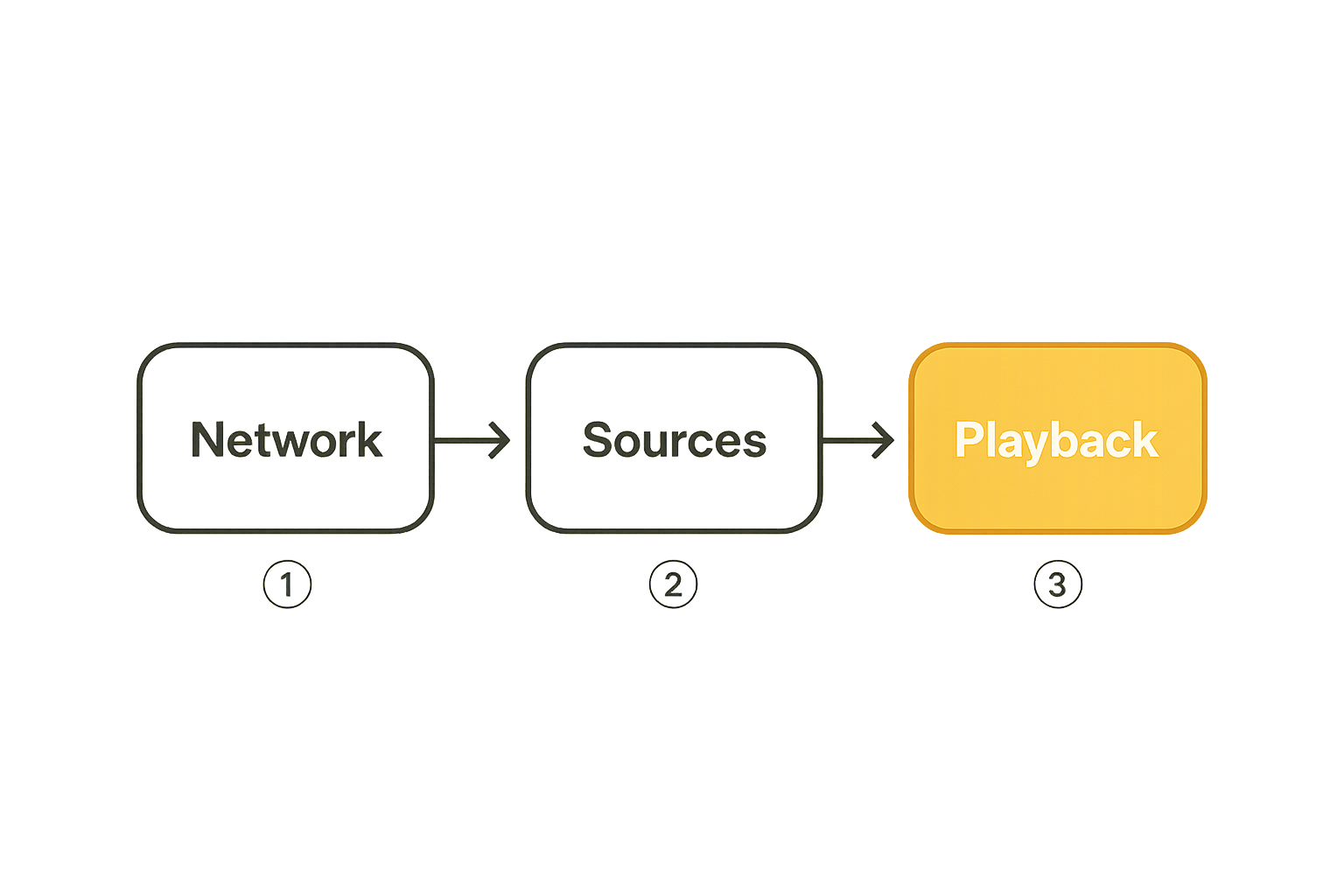
Layer 1: network and power
Plug tech starts with power and network because everything else depends on them. Use wired Ethernet for the primary playback device if possible. Put the router, modem, switch, and NAS on stable power. Label power bricks. Avoid hiding critical gear behind furniture where heat builds up and cables get crushed.
Many home media problems are blamed on apps when the real cause is weak Wi-Fi, overheating, poor DNS, or a flaky USB drive. That changes the conversation from app switching to infrastructure hygiene.
Layer 2: sources and libraries
Next, define your sources. For cord cutters, that may include paid streaming subscriptions, legal IPTV playlists, over-the-air channels, public domain torrent archives, Linux ISOs, creator-distributed files, personal rips where allowed, audiobooks, podcasts, and home videos.
Do not mix every source into one unmanaged folder. Separate by trust, legality, and workflow. A legal torrent download folder should not be the same as a curated media library. A temporary IPTV playlist should not overwrite a verified one.
A simple folder model can be enough:
media:
  inbox:
    legal_torrents: review_before_import
    personal_uploads: scan_and_tag
  library:
    movies: curated
    tv: curated
    music: curated
    home_video: private
  archive:
    old_playlists: read_only
    retired_devices: configs
Layer 3: playback and automation
Only after the first two layers are stable should you automate. Media scanners, download completion hooks, subtitle fetchers, artwork tools, and playlist refresh jobs are useful when they operate on clean inputs.
The mistake teams make is automating chaos. A bad naming scheme plus a fast automation tool gives you a bigger mess, faster.
Related reading from our network: teams rolling out software boards face a similar sequencing issue in Asana project management software workflow architecture, where the workflow has to exist before the tool can make it better.
IPTV is a state problem
Playlist quality is only the first check
IPTV is often discussed as a playlist problem. Is the M3U file valid? Do the channels open? Does the app support the format? Those checks matter, but they are only the beginning.
The real issue is state. Channels change. Logos disappear. EPG mappings drift. Groups become messy. A playlist that worked yesterday can still load today while half the guide is wrong.
For users who want a clean starting point for live channel browsing, BitTorrented's live TV page is relevant because it puts IPTV discovery in the same conversation as playback and source quality.
EPG, catch-up, and channel naming
A good IPTV setup needs three things beyond the stream URL:
- A usable electronic program guide.
- Stable channel IDs or names.
- A refresh policy that does not break favorites every morning.
Channel naming is operationally important. If one playlist calls a channel News 24 HD and another calls it NEWS24.us, your app may treat them as different channels. Favorites, guide mapping, and search results get noisy.
This is where small naming decisions become support issues. Related reading from our network: the same operational naming pressure appears in software shipping, where product names become a shipping system rather than a branding exercise.
Legal and support boundaries
IPTV has legitimate uses: free ad-supported channels, licensed services, public broadcasters, internal streams, community channels, and paid providers with clear rights. It also has a gray and illegal market that causes reliability, privacy, and legal risk.
Keep the boundary explicit. Do not put unverified playlists on shared family devices. Do not enter payment details into unknown reseller portals. Do not assume a slick app means licensed content.
Practical rule: If you cannot identify who has the right to distribute the channel, do not make it part of the household default path.
Torrents belong in a controlled media workflow
Separate legal downloads from playback
Torrents are a distribution protocol, not a permission slip. They are useful for Linux distributions, public domain films, open datasets, creator-approved releases, game patches, and large legal files. They are also widely misused.
The practical plug tech approach is to separate downloading from playback. A torrent client should download into a review area. Only approved files move into the media library. This gives you a chance to verify source, file type, naming, metadata, and malware risk before a TV app scans the folder.
A controlled flow looks like this:
- Add a legal torrent from a trusted source.
- Download into an inbox folder with limited permissions.
- Scan the file and inspect metadata.
- Rename using your library convention.
- Move into the playback library.
- Keep or remove the torrent according to your legal and bandwidth policy.
Use storage rules, not random folders
Random folders are the enemy of long-term media setups. They work until you migrate to a new disk, rebuild a server, or try to explain the system to someone else.
Set storage rules early:
- Temporary downloads go on fast storage with cleanup rules.
- Curated libraries go on redundant or backed-up storage.
- Personal media gets the strongest backup policy.
- Config files and playlists are exported and versioned.
- Unknown files do not get indexed by the main media server.
This is not about being fancy. It is about avoiding accidental deletion, duplicate libraries, and playback devices scanning unfinished files.
Privacy is configuration, not a sticker
A VPN logo does not make a torrent workflow private. Privacy depends on routing, DNS behavior, kill switches, client binding, logging, account separation, and what you download in the first place.
For legal torrent use, still treat privacy as a configuration problem. Bind the client to the intended network interface if your tool supports it. Prevent fallback to the normal interface. Avoid exposing remote admin panels. Use strong passwords. Keep the client updated.
Also be honest about tradeoffs. VPNs can break streaming services, add latency, complicate local discovery, and make debugging harder. The answer is not always route everything through a tunnel. The answer is route intentionally.
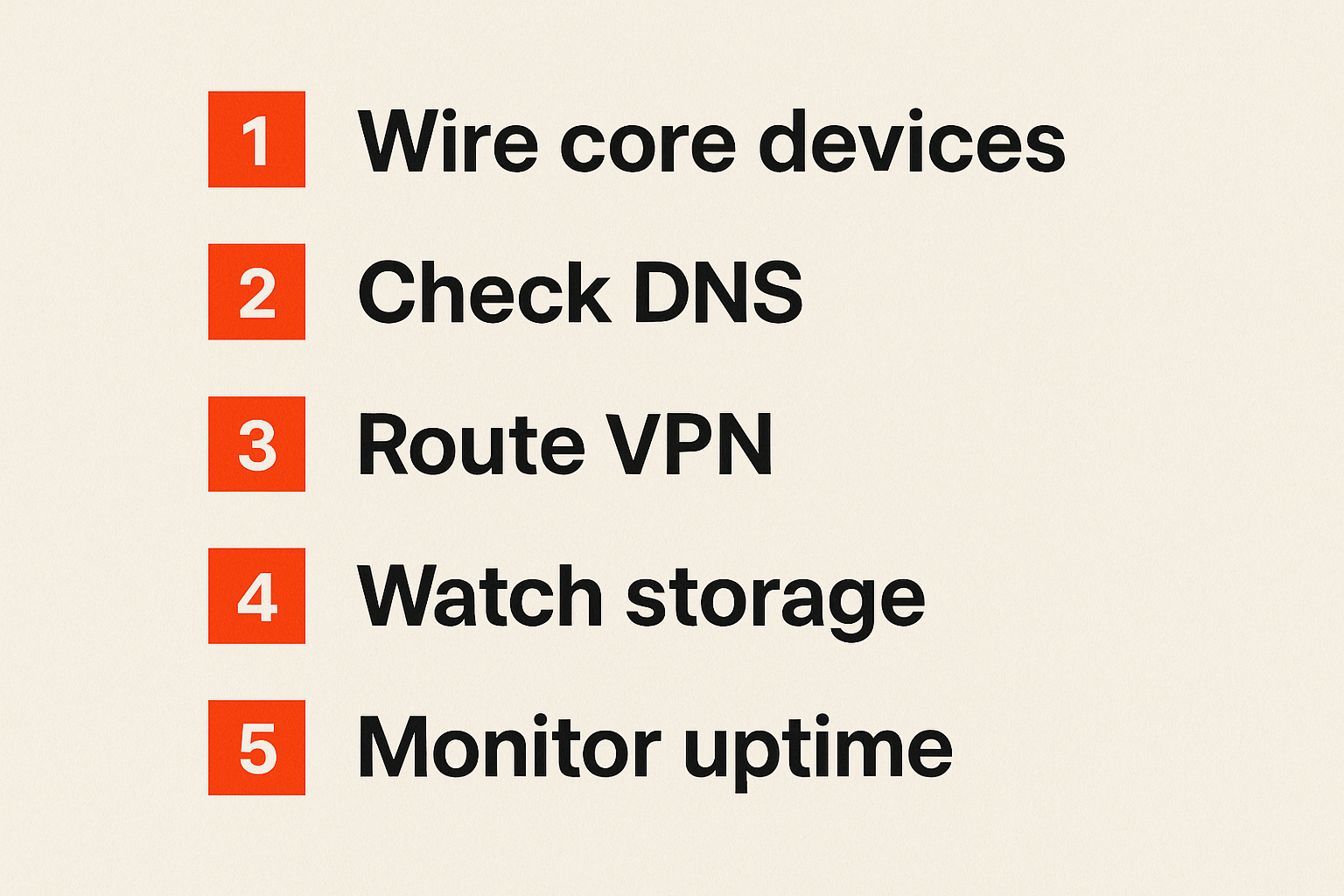
Networking decides whether plug tech feels reliable
Wi-Fi is convenient until it is the bottleneck
Most streaming households underestimate the network. They buy a faster media box and ignore that the TV is on weak 5 GHz Wi-Fi through two walls, while the NAS is on an old switch and the router is overloaded.
Use Ethernet where it matters: main TV, NAS, mini PC, tuner, and any device hosting media. If you cannot wire everything, wire the sources first. A stable server plus decent Wi-Fi is better than every component floating on a congested wireless network.
The practical checks:
- Is the primary playback device wired?
- Is the media server wired?
- Are mesh nodes using wired backhaul where possible?
- Is the router placed in open air?
- Are old 2.4 GHz devices crowding the same network?
DNS, VPNs, and split routing
DNS and VPN settings create strange failures. An IPTV app may load streams but not logos. A legal streaming app may refuse playback. A media server may disappear from local discovery. A torrent client may leak if the tunnel drops.
Split routing helps when used carefully. Put privacy-sensitive download traffic through a VPN. Keep local media discovery local. Let licensed streaming apps use the normal route if their terms and your privacy model allow it.
Document this. Future you will not remember which device is routed where.
Monitor the boring signals
You do not need enterprise monitoring to run a home media stack, but you need visibility into boring signals:
- Router uptime.
- WAN outages.
- Wi-Fi signal quality.
- NAS disk health.
- Free storage.
- VPN connection state.
- Failed media scans.
- App update dates.
These signals shorten troubleshooting time. Without them, every failure feels like a mystery.
Automation should reduce support, not create mystery
Automate repeatable actions only
Automation is useful when the manual process is already stable. Refreshing a known-good IPTV playlist, moving approved files, backing up configs, checking disk space, and restarting a stuck service are good candidates.
Do not automate decisions you do not understand. If you cannot explain why a file should enter the library, do not let a script decide for you.
A minimal media automation policy might look like this:
automation_policy:
  playlist_refresh: daily_with_backup
  media_import: manual_approval_required
  subtitles: allow_for_curated_library
  cleanup: delete_temp_after_14_days
  alerts:
    disk_free_below: 15_percent
    vpn_down: notify_only
Use idempotent media tasks
Idempotency means running the same task twice does not create damage. In home media, that means a playlist refresh should not duplicate channels, a scanner should not create two copies of one movie, and a cleanup job should not delete curated media because a path changed.
The practical question is: what happens if this runs again?
If the answer is duplicate entries, broken metadata, or deleted files, the task is not safe enough.
Keep logs readable by humans
Logs are not just for developers. They are how you avoid guessing. Use tools that can tell you what changed: playlist refreshed, file moved, scan failed, VPN disconnected, disk full, login rejected.
Store logs somewhere accessible. A hidden app log on a TV is almost useless. A simple text log on a NAS, mini PC, or router dashboard is better.
Related reading from our network: checkout systems have the same lesson, where a practical Walgreens coupon code workflow depends on testing, comparing outcomes, and not trusting the first visible result.
Failure modes: what breaks when plug tech is implemented badly
The everything app trap
The everything app promises one interface for live TV, movies, series, local files, cloud sources, and recommendations. Sometimes it works. Often it becomes a single point of confusion.
What fails is boundary control. Users cannot tell which content is local, licensed, temporary, broken, or unsupported. Troubleshooting becomes harder because every problem looks like an app problem.
A better model is a unified experience with clear source boundaries. One launcher is fine. One giant mystery bucket is not.
The silent update problem
Silent updates break home media systems. A TV firmware update removes a codec. An IPTV app changes playlist parsing. A router update resets DNS. A torrent client changes default interface behavior. A streaming box updates overnight and storage fills with cache.
You cannot stop every update, and you should not freeze security patches forever. But you can reduce surprise:
- Disable automatic feature updates on critical devices when possible.
- Keep security updates enabled where reasonable.
- Export app configs before major changes.
- Test updates on a secondary device first.
- Keep a rollback path for playlists and media server configs.
The no-inventory household
The no-inventory household has three remotes, two unknown HDMI dongles, an old router password, a NAS nobody can log into, and a playlist URL saved only inside an app. It works until it does not.
Create a simple inventory. It can be a note, spreadsheet, or markdown file:
| Item | Owner | Purpose | Login location | Backup |
|---|---|---|---|---|
| Router | Alex | Network and DNS | Password manager | Config export |
| NAS | Alex | Media storage | Password manager | USB plus cloud |
| TV box | Living room | Playback | Device account | App list |
| IPTV app | Shared | Live channels | App settings | Playlist backup |
| Torrent client | Admin only | Legal downloads | Local admin | Config export |
Practical rule: If the setup cannot be rebuilt from your notes, you do not have a setup. You have an accident that still works.
What works: a practical 2026 implementation sequence
Step 1: map the current state
Before buying anything, map what exists. List devices, apps, subscriptions, playlists, storage locations, network paths, and user pain points. Note what is legal and verified, what is experimental, and what should be removed.
Use plain categories:
- Playback devices.
- Content sources.
- Storage locations.
- Network rules.
- Privacy controls.
- Automation tasks.
- Failure points.
This map gives you a decision surface. Without it, you are just shopping.
Step 2: standardize the core path
Pick the core path for normal viewing. For example:
- User opens the main streaming box.
- Launcher shows legal streaming, live TV, and local media separately.
- IPTV app loads a verified playlist and EPG.
- Media app reads only curated folders.
- Torrent client downloads legal files into an inbox, not the library.
- Router applies known DNS and VPN rules.
- Logs and backups live on the NAS or mini PC.
This sequence is boring by design. Boring is what makes it maintainable.
Step 3: test failure before adding features
Test the common failures while you are calm:
- Unplug the WAN and see what still works.
- Disconnect the VPN and confirm the torrent client behavior.
- Fill a test folder and confirm storage alerts.
- Break an IPTV playlist URL and confirm rollback.
- Reboot the router during playback.
- Try the fallback path with a non-technical user.
What works is not the stack with the most apps. What works is the stack that fails in predictable ways.
Where bittorrented.com fits
Discovery without pretending the UI is the system
BitTorrented sits in the discovery layer, not as a magic replacement for your whole setup. That distinction matters. Discovery helps you find streams, torrents, radio, live TV, and media entry points, but your workflow still needs legal judgment, privacy controls, storage rules, and playback discipline.
This is the healthier way to use media tools in 2026. Treat discovery as one layer. Treat playback, storage, and trust as separate layers. When those boundaries are clear, you can experiment without making the household stack unstable.
Useful for legal, privacy-aware media workflows
For cord cutters, torrent users, IPTV viewers, and home media hobbyists, the product fit is architectural: use BitTorrented to explore media options while keeping your own rules for source trust, device configuration, and safe playback.
That means checking whether content is legal to access in your location, avoiding suspicious providers, protecting accounts, and keeping unverified sources away from shared family devices. Plug tech should make media access cleaner, not riskier.
The closing plug tech checklist
Before you call your setup done, check the fundamentals:
- One primary playback path is obvious.
- IPTV sources are legal, documented, and backed up.
- Torrent use is limited to legal content and controlled folders.
- Main devices are wired or have verified Wi-Fi quality.
- VPN and DNS behavior is documented.
- Storage has cleanup and backup rules.
- Updates are managed instead of surprising everyone.
- A fallback path exists for normal users.
Plug tech in 2026 is not about owning every device. It is about making the whole media workflow predictable enough that you can watch, troubleshoot, and improve it without starting over.
Try bittorrented.com
bittorrented.com is for readers who want practical, up-to-date guidance on streaming services, torrents, IPTV, and home media tools. Start here: Try bittorrented.com.